


SVG vs PNG for Cricut: Which File Format Should You Use?

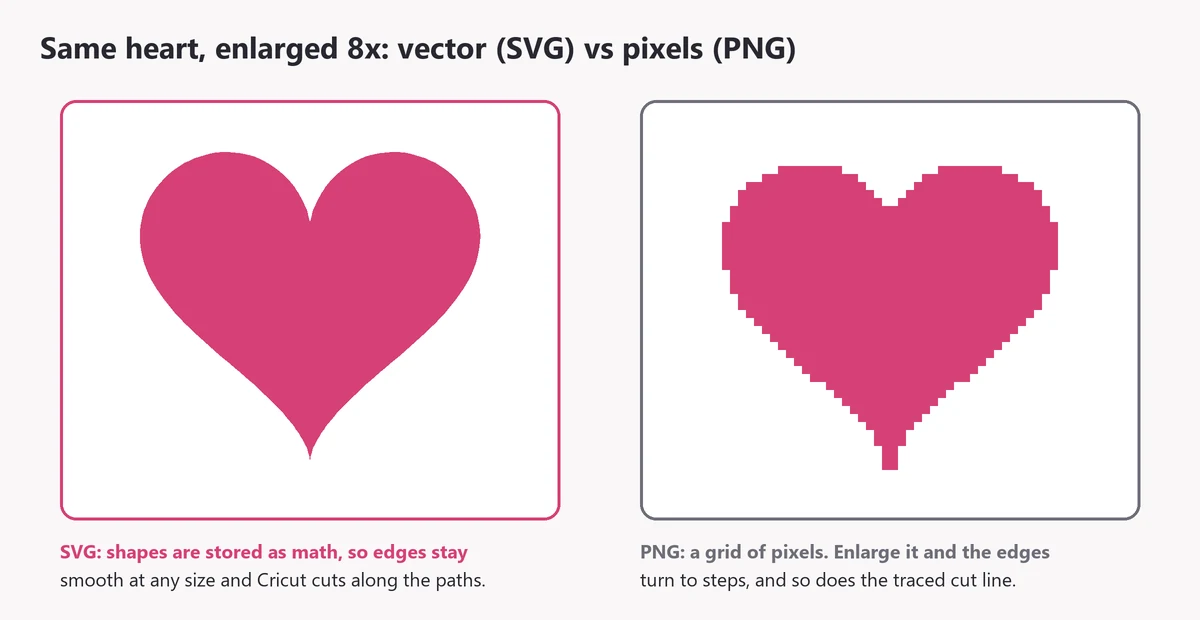
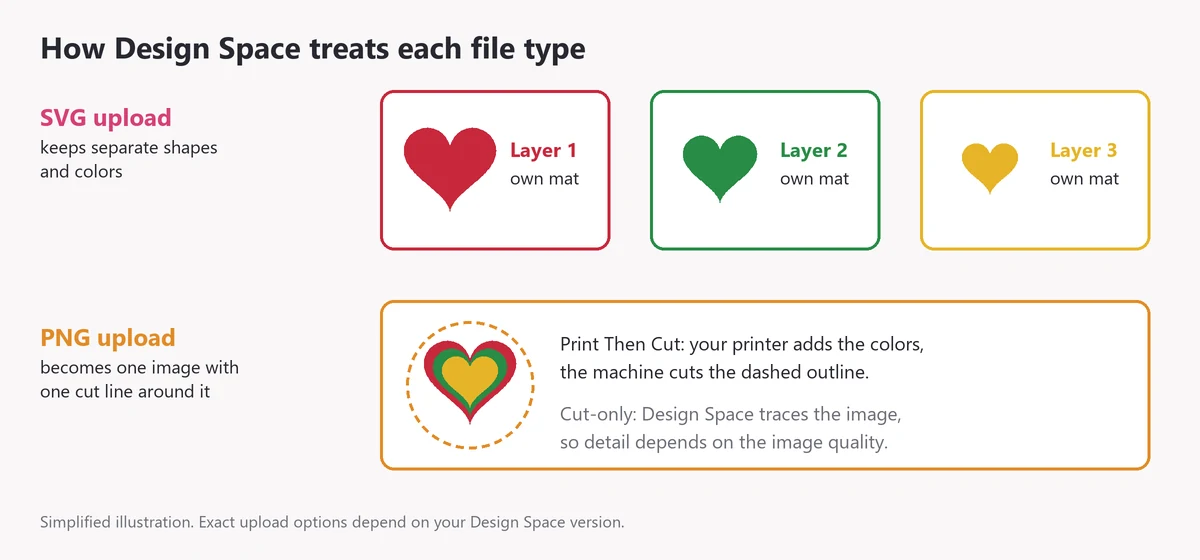
SVG vs PNG, the short answer: use an SVG when you want your Cricut to cut the design, and a PNG when you want to print it. An SVG is a vector file made of paths, so it resizes without losing quality and Design Space can cut each shape and color as its own layer. A PNG is a grid of pixels with a transparent background. It's the right choice for Print Then Cut stickers and full-color images, but it gives a rougher cut line when enlarged.
(If you're here for websites rather than crafting: the same logic applies. SVG suits logos and icons that need to scale, PNG suits screenshots and detailed images.)
What Is an SVG File?
SVG stands for Scalable Vector Graphics. Instead of storing pixels, an SVG stores the shapes themselves as math: lines, curves and fill colors. That means:
- It stays sharp at any size, from a 1-inch keychain decal to a 20-inch sign.
- Each shape is a path your machine can follow, so the cut line is exactly the edge of the design.
- Separate colors usually arrive as separate layers you can recolor, hide or move.
What Is a PNG File?
PNG (Portable Network Graphics) is a raster image: a grid of colored pixels. Its big advantage over JPG is a transparent background. For crafters, that means:
- It can hold full color, gradients, shading and photos.
- It has a fixed resolution. Enlarge it too much and the edges turn blurry or blocky.
- Design Space has to work out a cut line by tracing the image, and it treats the image as a single layer.
SVG vs PNG for Cricut: Side-by-Side Comparison
| SVG | PNG | |
|---|---|---|
| File type | Vector (paths) | Raster (pixels) |
| Enlarging | Stays sharp at any size | Gets blurry or blocky past its resolution |
| Cut line | Follows the design's own paths | Traced from the image by Design Space |
| Colors and layers | Separate layers you can edit | One flattened image |
| Inner details (letter holes, cut-outs) | Cut as designed | Depend on how well the image is traced and cleaned |
| Best for | Vinyl, iron-on, layered cardstock, stencils | Print Then Cut stickers, printable iron-on, sublimation |
| Common mistake | Uploading the ZIP instead of the .svg | Cutting a low-resolution image at a large size |
When Should You Use SVG for Cricut?
- Vinyl lettering and decals for mugs, tumblers, car windows and signs.
- Iron-on shirts, where every color is cut from a separate sheet of vinyl. See our Cricut shirt ideas.
- Layered cardstock cards, ornaments and shadow boxes.
- Intricate cut-outs such as mandalas, snowflakes and monograms, where clean inner cuts matter.
- Anything you'll resize for different projects later.
When Is PNG Better?
- Print Then Cut stickers and labels. Your printer handles the colors and shading, and the Cricut only cuts the outline.
- Full-color or photo-style designs with gradients that can't be made from solid vinyl.
- Printable iron-on and sublimation, where the image is printed, not cut into layers.
- Previews. PNGs are handy for mockups and listing photos.
How Big Can You Use a PNG?
Because a PNG has a fixed number of pixels, its usable size depends on its resolution. For printing, aim for about 300 pixels per inch at the final size:
| PNG width | Sharp print up to about |
|---|---|
| 600 px | 2 inches |
| 1,500 px | 5 inches |
| 3,000 px | 10 inches |
For a traced cut line you can go a little lower, but the same rule applies: a small PNG blown up to a large decal gives soft, wobbly edges. An SVG has no such limit. The only size limit is what your material and blade can handle.
How to Tell an SVG from a PNG on Your Computer
- Check the extension. The file name ends in .svg or .png. If you can't see extensions, turn them on in your computer's file settings.
- Look at the file type column. Windows lists SVGs as "SVG Document" or as a browser file. PNGs show as "PNG File".
- Open it in a web browser. Both open, but if you zoom in a lot, an SVG stays crisp and a PNG turns blocky.
- In Design Space: an SVG goes straight to the save screen when you upload it. A PNG takes you through background removal first.
What About DXF, EPS and JPG?
- DXF is another vector cut format. Silhouette Studio Basic Edition uses it because it can't open SVGs. DXF files usually lose their colors, so you recolor them after opening.
- EPS is a vector format for design programs such as Illustrator. Cricut Design Space doesn't use it.
- JPG is a raster image like PNG but without transparency. It always has a background, so it needs more clean-up before cutting. Use PNG instead if you have the choice.
Which File for Which Project?
| Project | Use |
|---|---|
| Vinyl decal on a mug, tumbler or sign | SVG |
| Iron-on shirt or tote | SVG |
| Layered cardstock card or shadow box | SVG |
| Stencil for painting | SVG |
| Full-color stickers or labels | PNG with Print Then Cut |
| Sublimation or printable iron-on | PNG |
| Product mockup or social media preview | PNG |
Can You Convert PNG to SVG?
Yes, but not by renaming the file. Changing ".png" to ".svg" doesn't create any vector paths. A real conversion needs tracing (vectorizing), which turns the edges of the image into paths:
- Inkscape (free) has a Trace Bitmap tool.
- Adobe Illustrator has Image Trace.
- Cricut Design Space traces a PNG automatically when you upload it as a cut image, which gives a single-layer cut file.
Tracing works best on simple, high-contrast images. Detailed or blurry images trace poorly and may need hand clean-up. If you need a logo or drawing turned into a clean multi-layer cut file, Apex offers custom cuttable digitizing.
What File Formats Come with an Apex Cut File?
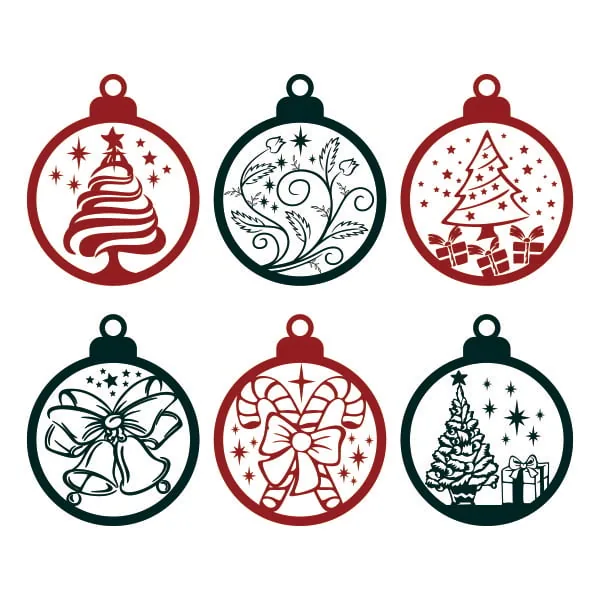
Every Apex SVG cut file, like the Christmas Ornament Svg, downloads as one ZIP with four formats:
- SVG for Cricut Design Space, Silhouette Studio Designer Edition and up, and most other cutting software.
- DXF for Silhouette Studio Basic Edition, which can't open SVGs.
- EPS for design programs such as Illustrator and Inkscape.
- PNG for previews, printing and Print Then Cut.
So you don't have to choose: use the SVG to cut vinyl and the PNG when you want to print. Our step-by-step guide shows how to upload the SVG to Cricut Design Space.
SVG vs PNG FAQ
Is SVG always better for Cricut?
For cutting, almost always. For printing full-color images, PNG is better. Many crafters keep both versions of a design for that reason.
Can I cut vinyl from a PNG?
Yes. Design Space will trace the PNG and create a cut line, but you get one layer and the result depends on the image quality. Simple, bold, high-resolution PNGs work best.
Do I need a Cricut subscription to use SVG or PNG files?
No. You can upload and cut your own SVG and PNG files in Design Space without Cricut Access.
Why does my PNG cut with a box around it?
The image's background wasn't removed or isn't transparent. Upload it again and remove the background, or use the SVG version of the design.
My SVG uploaded but cuts strangely. What now?
Check hidden layers, duplicate paths and sizing. Our guide to fixing a Cricut that isn't cutting correctly goes through the common causes.
Choose a Cut-Ready SVG
For projects built around clean cut paths, start with a design made as an SVG. Browse Apex SVG cut files by theme, the monogram SVG fonts or, for something seasonal, our Christmas SVG roundup. If you like bold, detailed designs, our dragon SVG ideas are worth a look too.