


Dragon SVG: 12 Creative Ideas for Cricut, Silhouette & DIY Crafts

Dragons have inspired stories, artwork, and fantasy worlds for centuries, and they are just as fun to bring into your next craft project. Whether you love powerful flying dragons, elegant Asian-inspired designs, or adorable baby dragons, a dragon SVG gives you plenty of creative possibilities.
Dragon SVG files can be used to create custom shirts, hoodies, tumblers, mugs, decals, signs, tote bags, paper crafts, party decorations, and personalized gifts. Because SVG files are vector based, you can resize the design for different projects without sacrificing the clean edges needed for cutting.
At Apex Embroidery Designs, you can find downloadable SVG cut files in a variety of styles that work with popular crafting and design software.
What Is a Dragon SVG?
A dragon SVG is a digital vector graphic featuring a dragon design. SVG stands for Scalable Vector Graphics, which means the artwork is created using vector paths rather than a fixed grid of pixels.
This makes SVG particularly useful for crafting. You can make a dragon design small enough for a mug or much larger for a wall sign while maintaining smooth, clean lines.
Dragon cut files are especially popular with crafters using Cricut and Silhouette machines because individual parts of the design can be cut from materials such as adhesive vinyl, heat transfer vinyl, cardstock, and other compatible craft materials.
Depending on the project, you may also encounter dragon designs supplied as DXF, EPS, PNG, JPEG, or PDF files. Each format serves a slightly different purpose, which we will explain later in this guide.
You can explore more SVG designs and fonts from Apex if you are looking for cuttable designs beyond dragons.
Popular Dragon SVG Styles
Not every dragon has to look the same. Choosing a style that suits your project can make a big difference, especially when working with vinyl or smaller cutting areas.
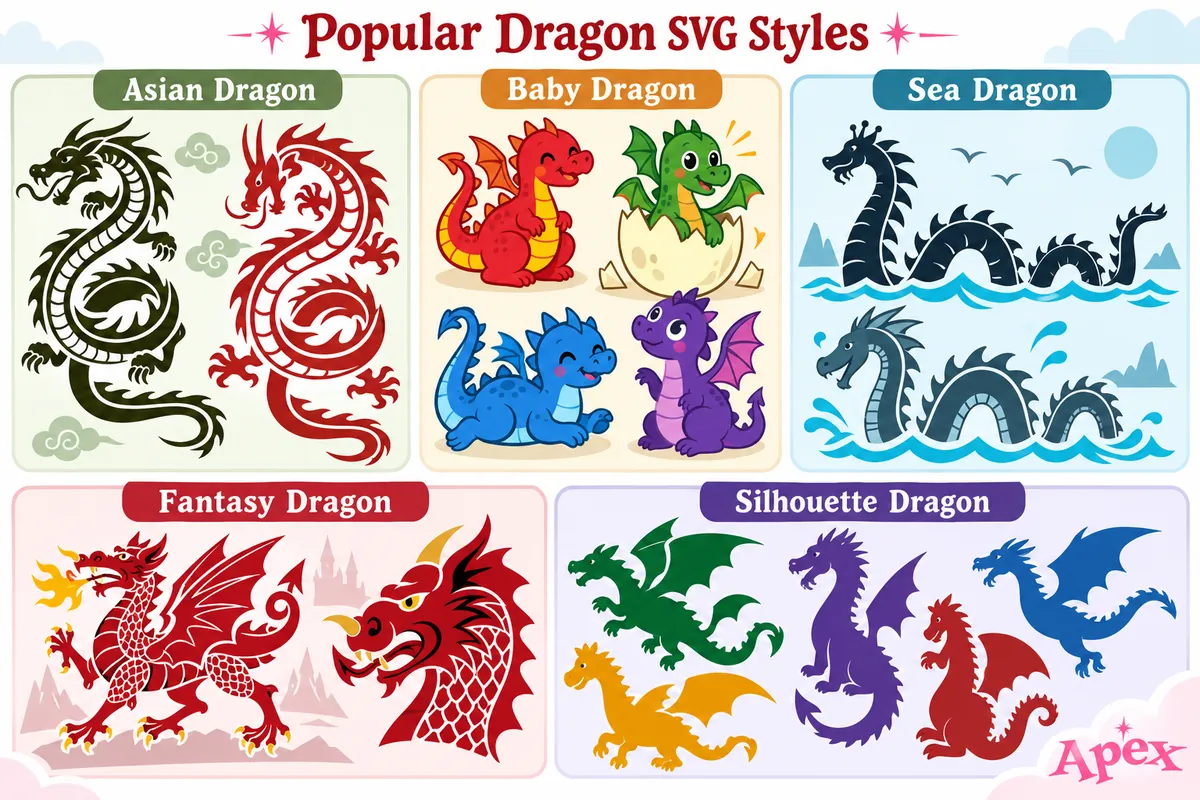
Here are some popular types of dragon SVG designs to consider.
Flying Dragon SVG
Few images capture the fantasy feeling of a dragon better than one soaring through the sky.
A flying dragon SVG works particularly well when you want a bold design with plenty of movement. Large wings, curved tails, and action poses can create dramatic artwork for shirts, hoodies, wall signs, decals, and fantasy-themed decor.
Apex's Flying Dragon Cuttable Design is one option for crafters looking for this classic fantasy style.
Try using a flying dragon design on:
- T-shirts
- Hoodies
- Tote bags
- Bedroom wall signs
- Car decals
- Tumblers
- Fantasy-themed gifts
For detailed dragon designs, consider using a larger cutting area so that smaller lines and shapes remain easier to weed and apply.
Asian Dragon SVG
Asian dragon artwork often features a longer, flowing body with sweeping curves and decorative details.
Because of this distinctive silhouette, an Asian dragon SVG can work beautifully on projects where you have more horizontal or vertical space to showcase the entire design.
You could use one for wall decor, shirts, vinyl decals, signs, bags, or personalized gifts.
For this style, take a look at the Asian Dragons Cuttable Design from Apex.
When working with an intricate dragon cut file, avoid reducing the design too much. Keeping enough space between the smallest elements can make cutting and weeding easier.
Baby Dragon SVG
Not every dragon needs to look fierce.
A baby dragon SVG brings a cute and playful feel to the theme, making it especially suitable for children's projects, birthday decorations, nursery items, stickers, bags, shirts, and personalized gifts.
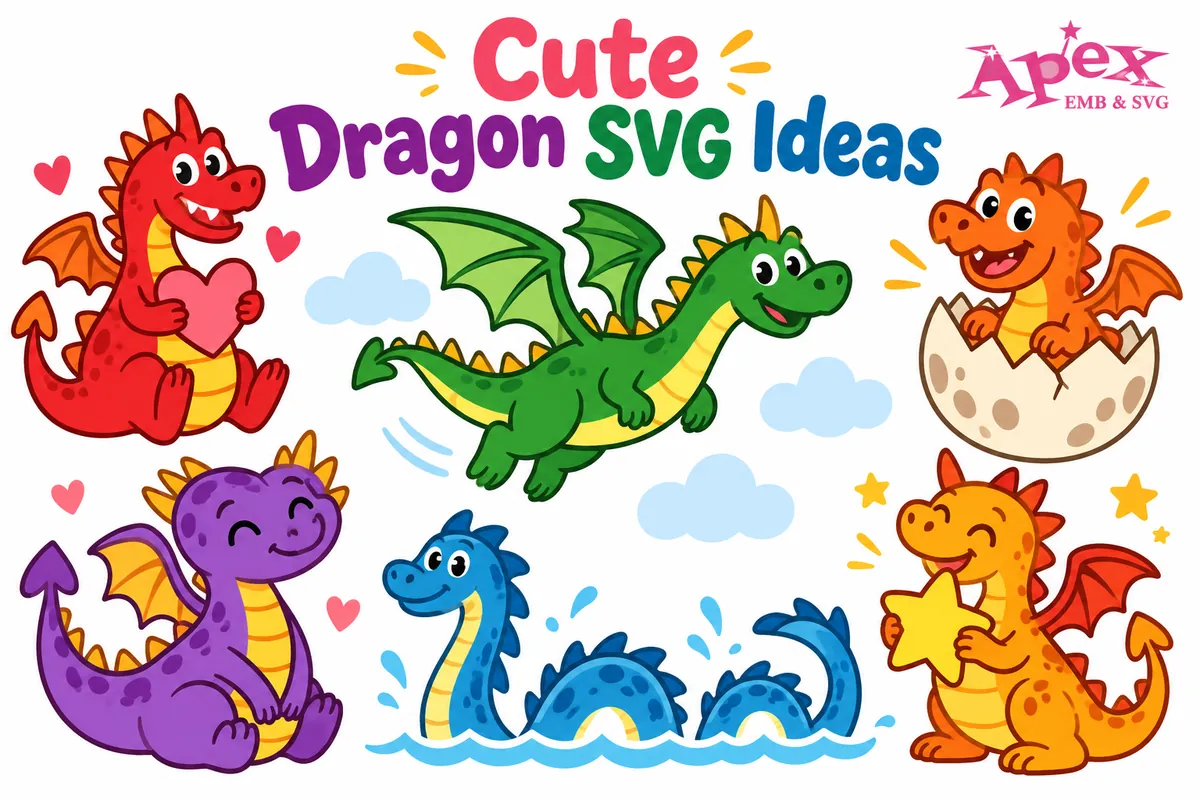
A cute dragon design can also be a good choice when you want the fantasy theme without creating an overly dramatic finished project.
The Baby Dragon Cuttable Design from Apex is an example of a softer dragon style that can work across many craft ideas.
Use a baby dragon SVG for:
- Kids' shirts
- Birthday banners
- Nursery signs
- Stickers
- Water bottles
- Tote bags
- Personalized gifts
3D-Style Flying Dragon Design
If you want something with an even stronger fantasy look, consider artwork designed to create a more dimensional appearance.
The Flying Dragon 3D Cuttable Design gives crafters another way to bring dragon artwork into statement projects.
A detailed dragon like this can be especially eye-catching on larger surfaces such as shirts, posters, signs, and decorative pieces.
The more complex the artwork, the more important it becomes to match the final design size to the level of detail in the file.
12 Creative Dragon SVG Project Ideas
Once you have found the right dragon cut file, the next question is simple: what should you make with it?
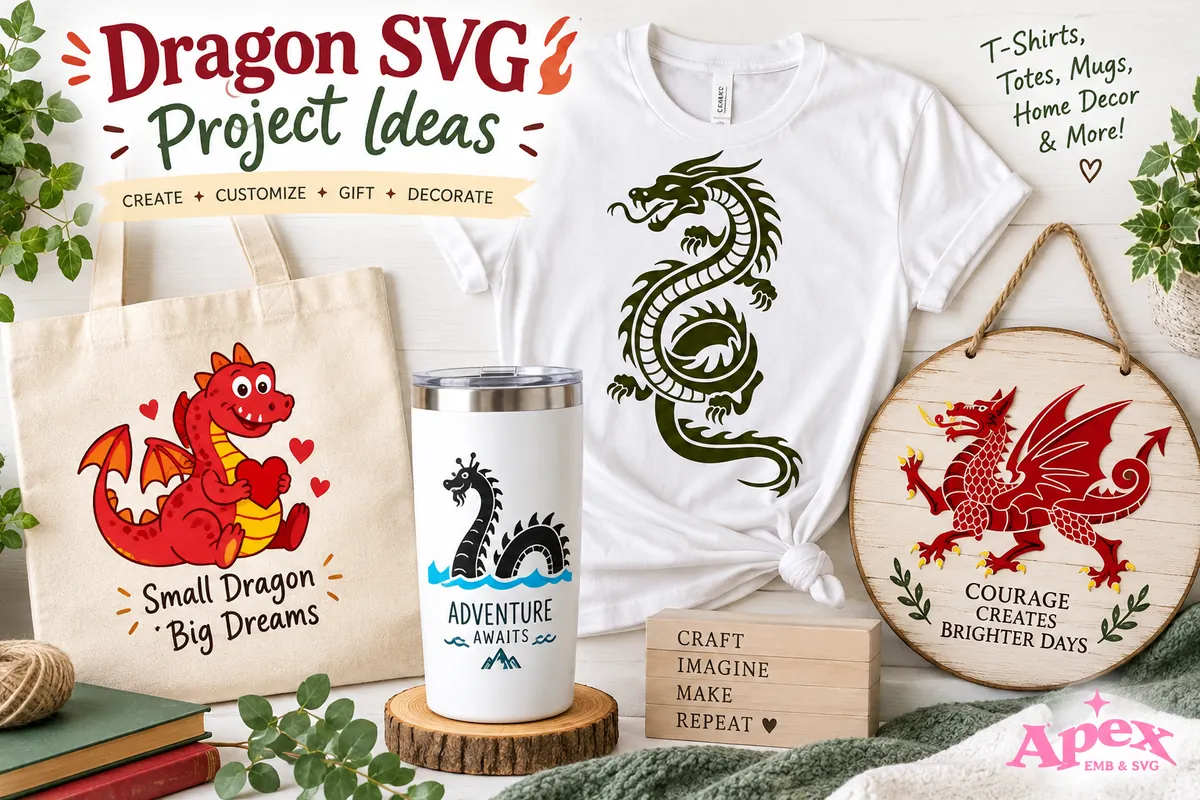
Here are twelve ideas to get you started.
1. Dragon SVG T-Shirts
A shirt is one of the easiest ways to turn a dragon SVG into something you can actually wear.
Flying dragons can create a powerful fantasy look, while baby dragons work well for children's clothing. You can also experiment with different shirt and vinyl combinations to make the same design feel completely different.
For heat transfer vinyl projects, remember to follow the material manufacturer's cutting and pressing instructions.
2. Dragon Hoodies
For a larger canvas, try placing your dragon design on a hoodie.
A large flying dragon across the front or back can make a strong statement. Smaller designs can also work on the chest, sleeve, or pocket area.
Before cutting, measure the available space on the garment rather than choosing the SVG size based only on what you see on screen.
3. Dragon Vinyl Decals
Dragon silhouettes can make excellent decals because bold shapes are easy to recognize.
Try creating decals for laptops, notebooks, craft storage, windows, or other smooth surfaces suitable for adhesive vinyl.
Simpler dragon designs are often easier to work with when you need a small decal.
4. Dragon Tumblers
A dragon wrapping around a tumbler can create an especially interesting finished look.
Longer designs, including flowing Asian dragon styles, may work particularly well because the shape can follow the surface of the tumbler.
Measure your tumbler carefully before resizing your SVG.
5. Dragon Mugs
A smaller dragon cut file can turn a simple mug into a fantasy-inspired gift.
You might use a dragon silhouette alone or combine it with a name, short phrase, or monogram to create something more personal.
Just make sure the material and application method you choose are suitable for the mug and its intended use.
6. Dragon Tote Bags
Tote bags provide plenty of flat space for crafting.
Try placing a large dragon in the center or adding a smaller dragon alongside personalized lettering.
A cute dragon SVG can create a fun children's bag, while a detailed flying dragon can give the same project a much more dramatic style.
7. Dragon Wall Signs
Dragon SVG designs are a natural fit for fantasy-themed rooms and craft spaces.
Use vinyl on a sign blank or incorporate a dragon into another decorative project. You could combine the graphic with a name, quote, or fantasy-inspired phrase to make the piece unique.
8. Dragon Nursery Decor
Cute dragons do not have to be limited to fantasy fans.
A baby dragon can work beautifully in whimsical nursery themes, especially when paired with stars, clouds, moons, castles, or personalized lettering.
Choose a simpler, friendlier dragon illustration for a softer finished look.
9. Dragon Birthday Decorations
Planning a dragon-themed birthday?
Use SVG cut files to create cupcake toppers, banners, favor tags, signs, cardstock decorations, and personalized party items.
Using the same dragon throughout several decorations can help the entire theme feel more coordinated.
10. Dragon Stickers
Dragon artwork can also be used as inspiration for sticker projects when you have a suitable print-and-cut workflow and file format.
Create a collection featuring cute dragons, flying dragons, or several different fantasy creatures.
Small designs should be checked carefully to ensure fine details remain visible at the final sticker size.
11. Dragon Paper Crafts
SVG files are not only for vinyl.
Dragon cut files can also be used for compatible cardstock and paper projects, depending on the complexity of the design and capabilities of your machine.
Try adding dragon shapes to cards, scrapbooks, party decorations, bookmarks, or fantasy-themed paper crafts.
12. Personalized Dragon Gifts
One of the easiest ways to make a dragon design feel unique is to personalize it.
Combine the SVG with:
- A person's name
- Initials
- A monogram
- A birthday
- A short quote
- A fantasy-inspired phrase
You can then apply the finished design to shirts, bags, signs, cups, or other suitable craft blanks.
How to Use a Dragon SVG With Cricut
Using a dragon SVG for Cricut is relatively straightforward once your files are downloaded and prepared.
The exact interface may change over time, but the basic workflow generally looks like this:
Step 1: Download Your Dragon SVG
Download your purchased design to your computer.
If the files are supplied in a compressed folder, unzip the folder before trying to upload the design.
Step 2: Open Cricut Design Space
Create a new project in Cricut Design Space and choose the option to upload your own image.
Step 3: Upload the SVG File
Locate the SVG version of your dragon design and import it into your project.
SVG is usually the most convenient format for this type of workflow because the vector information is preserved.
Step 4: Resize the Design
Resize the dragon based on the dimensions of your shirt, sign, tumbler, bag, or other project.
Be especially careful with highly detailed dragon designs. Making them too small can leave you with tiny sections that are difficult to cut or weed.
Step 5: Prepare Your Material
Choose the appropriate cut settings for the material you are using.
If you are working with heat transfer vinyl, check whether the design needs to be mirrored before cutting.
Step 6: Cut and Weed
Send the project to your machine and cut the design.
Once cutting is complete, weed away the material you do not need.
Step 7: Apply the Design
Use the appropriate transfer or application method for your chosen material and project blank.
Need more help getting started? Visit the Apex Cuttable How-To Guides for tutorials covering cuttable files and crafting software.
Using Dragon SVG Files With Silhouette
Dragon SVG files can also be used in compatible Silhouette workflows.
Your available file options may depend on the edition of Silhouette Studio you are using. If your software setup does not support SVG importing, a DXF version may be useful when one is included with the download.
After opening your dragon cut file, check the dimensions and inspect the smallest details before sending it to your machine.
This is especially important with designs containing claws, scales, wing details, flames, or thin decorative lines.
A quick test cut can save material when you are working with an unfamiliar design.
Which Dragon SVG Style Should You Choose?
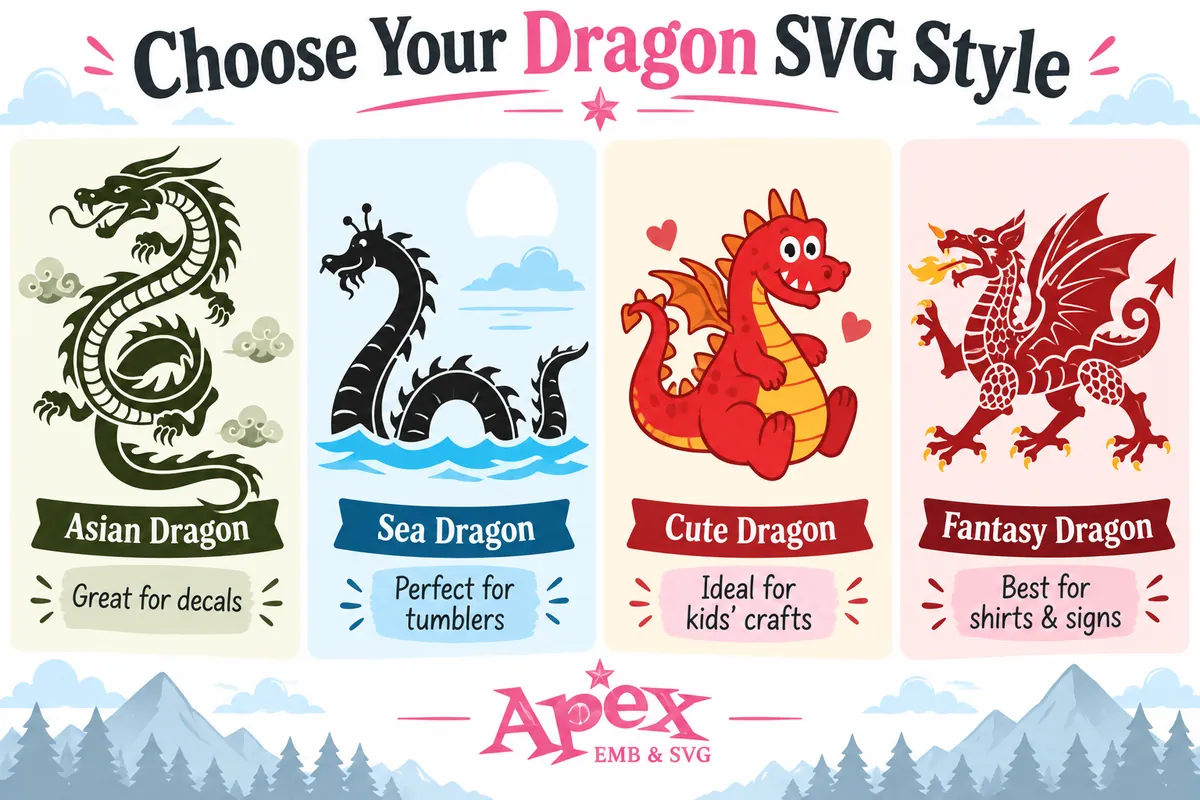
The best dragon design depends on what you are making.
| Dragon SVG Style | Best For | Overall Look |
|---|---|---|
| Flying Dragon SVG | Shirts, hoodies, signs, fantasy decor | Bold and dramatic |
| Asian Dragon SVG | Wall art, apparel, decals and signs | Flowing and decorative |
| Baby Dragon SVG | Kids' crafts, gifts and nursery decor | Cute and playful |
| Dragon Silhouette SVG | Decals, vinyl and simple cuts | Clean and bold |
| Detailed Dragon SVG | Large apparel and statement projects | Intricate and eye-catching |
If you are a beginner, start with a design that has larger shapes and fewer tiny details.
Experienced crafters may enjoy working with more intricate dragon artwork, especially on larger projects.
SVG vs. DXF vs. EPS vs. JPEG: Which File Should You Use?
Digital cut designs can come in several formats, and understanding the difference helps you choose the best one for your software.
SVG
SVG stands for Scalable Vector Graphics.
It is commonly used for cutting-machine projects because the design can be resized without the same loss of quality associated with raster graphics.
For many Cricut and compatible design workflows, this is the format you will probably use most often.
DXF
DXF is another vector-based format commonly associated with CAD and cutting software.
It can be a useful alternative in workflows where direct SVG support is unavailable.
EPS
EPS is widely used in professional vector design software and is helpful when you want to edit artwork in programs that support the format.
JPEG
JPEG is a raster image format. It is useful for viewing or previewing artwork, but it does not behave in exactly the same way as a vector SVG when enlarged or edited.
PDF files are convenient for viewing, sharing, and printing designs, depending on how the file has been created.
Apex cuttable design purchases may include several formats, allowing you to choose the one that works best with your compatible software and project.
Tips for Cutting Detailed Dragon SVG Designs
Dragons often contain more detail than simple shapes or word art, so a few small adjustments can improve your final result.
Avoid Making the Design Too Small
Thin claws, scales, wings, and facial details can become difficult to cut when reduced too far.
If the design looks complicated on your computer screen, give it enough physical space on your project.
Check Small Pieces Before Cutting
Zoom in and inspect the artwork.
Look for tiny isolated elements or narrow sections that could be difficult to weed.
Make a Test Cut
When using a new material, blade, or complicated SVG, test a small section before committing to the full project.
Choose the Right Material Settings
Different vinyls, papers, and other craft materials require different cut settings.
Use settings appropriate for your material and machine rather than assuming every SVG should be cut the same way.
Weed Slowly
Detailed dragon designs can include many small sections.
Work carefully and make sure you are removing the correct pieces as you weed.
Remember to Mirror Heat Transfer Vinyl
If your material requires mirroring before cutting, make sure that step is completed before sending the project to your machine.
Find Dragon SVG Cut Files at Apex Embroidery Designs
If dragons are your favorite fantasy creatures, there are plenty of ways to bring them into your next craft project.
Apex offers dragon cuttable designs in several styles, including:
- Flying Dragon Cuttable Design
- Asian Dragons Cuttable Design
- Baby Dragon Cuttable Design
- Flying Dragon 3D Cuttable Design
You can also browse all SVG cut files from Apex to find additional designs for holidays, animals, celebrations, word art, gifts, and everyday craft projects.
Whether you prefer cute dragons or dramatic fantasy artwork, choosing the right SVG gives you a flexible starting point for creating something completely your own.
Frequently Asked Questions About Dragon SVG Files
What is a dragon SVG?
A dragon SVG is a scalable vector graphic featuring a dragon design. It can be resized while maintaining clean vector edges and is commonly used for cutting-machine projects, vinyl crafts, apparel, signs, paper crafts, and other DIY creations.
Can I use a dragon SVG with Cricut?
Yes, compatible SVG files can be imported into Cricut Design Space and used for cutting projects. After uploading the file, resize the dragon for your project, choose the correct material settings, and prepare the design for cutting.
Can I use a dragon SVG with Silhouette?
SVG files can be used with Silhouette software configurations that support SVG importing. Depending on your version and setup, another vector format such as DXF may also be useful.
What can I make with a dragon SVG?
Dragon SVG designs can be used for shirts, hoodies, decals, tumblers, mugs, tote bags, signs, birthday decorations, paper crafts, stickers, nursery decor, and personalized gifts.
Can an SVG be resized without losing quality?
Yes. SVG artwork is vector based, so its paths can be scaled to different dimensions while retaining smooth edges. However, very small physical cuts may still be difficult if the original design contains intricate details.
What is the difference between a dragon SVG and a JPEG?
An SVG is vector based and can be scaled while maintaining clean paths. A JPEG is made from pixels, so enlarging it significantly can reduce image quality. SVG is generally more suitable when editable vector paths are needed for a cutting workflow.
What type of dragon SVG is easiest to cut?
Simple dragon silhouettes and designs with larger connected shapes are usually easier to cut and weed than highly detailed artwork. Beginners may want to start with simpler dragon designs before moving to intricate scales, wings, and fine decorative details.
Where can I find dragon SVG cut files?
You can browse Apex SVG Designs and Fonts for downloadable cuttable designs, including flying dragons, Asian dragons, cute baby dragons, and other creative SVG files.