


Free Machine Embroidery Designs: Where to Find Them & How to Use Them

Free machine embroidery designs are everywhere, and so are the dead links, personal-use-only traps and files that jam your needle at stitch 400. Here's where the usable ones actually live, how to check a file before you thread anything, and the licensing line that matters if you plan to sell a single tote bag.
What "Free" Really Means for Embroidery Files
We see three kinds of free. Some files are truly free, no strings. Some are free for personal use only. And some are a sample from a shop hoping you'll buy the rest of the set.
The catch is quality. A free file can be badly digitized, or copied from someone's paid design and passed around. Neither shows on the download page. You find out when the machine starts stitching.
Where to Find Free Machine Embroidery Designs
Free designs from Apex
Start with ours if you want files built for machines, not just converted for them. Our free collection comes in the formats most machines read, so you can download and stitch the same day.
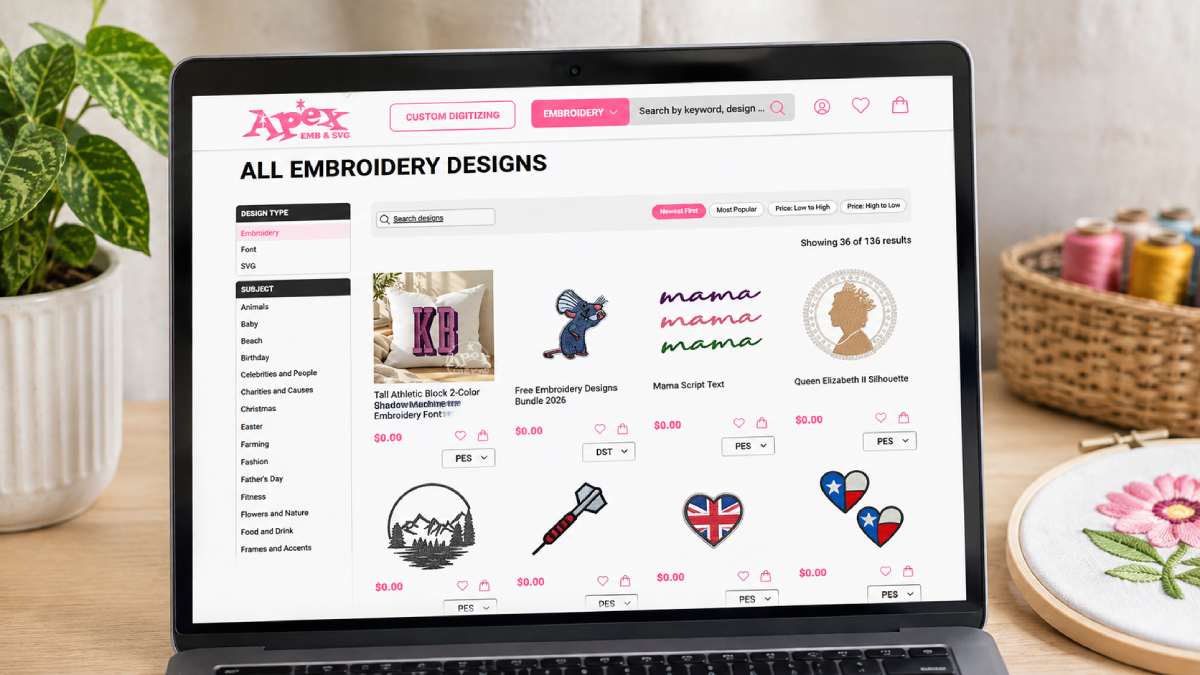
Every design lists its size and stitch count up front, so you know whether it fits your hoop before you download.
Browse our free embroidery designs collection and pick the format that matches your machine.
Free samples from independent design shops
Many small digitizers give away a few files to show how they work. It's a good way to judge their stitching for nothing. Check that the sample comes in your machine's format first, because some only offer one or two.
Marketplaces like Etsy and Creative Fabrica
Both carry free listings next to paid ones. Licenses vary by seller, and sometimes by listing. Read the description every time. "Free" in the title doesn't tell you whether you can sell what you stitch.
Which File Format Does Your Machine Need?
Your machine reads some formats and ignores the rest. Look up yours in the manual before you download.
| Format | Common machines |
| PES | Brother |
| JEF | Janome |
| VP3 | Pfaff, Husqvarna Viking |
| EXP | Bernina |
| DST | Many industrial and multi-needle machines |
DST is the most widely accepted format, which is why free embroidery files so often come as DST. The downside is that it doesn't store thread colors. You assign them yourself, on the machine or in your software.
A downloaded ZIP often holds more than one format, plus a PDF or image showing thread colors and stitch order. Keep that sheet. It saves guesswork when you change threads.
How to Check a Free Design Before You Stitch It
Two minutes here can save a ruined shirt.
- Size: The design should sit inside your hoop's sewing area with a little room to spare. The hoop's outer size isn't the same as the area you can stitch.
- Stitch count: A small design with a very high count is packed too tight. On thin fabric, that means puckering. Compare the count with the size, not on its own.
- Preview: Open the file in your software. Look for gaps in outlines, and tiny lettering that turns to mush.
- Jump stitches: Lots of long jumps means extra trimming, and it usually points to sloppy digitizing.
- Test stitch: Sew it once on scrap fabric, with the same stabilizer and thread you plan to use.
How to Use Free Machine Embroidery Designs, Step by Step
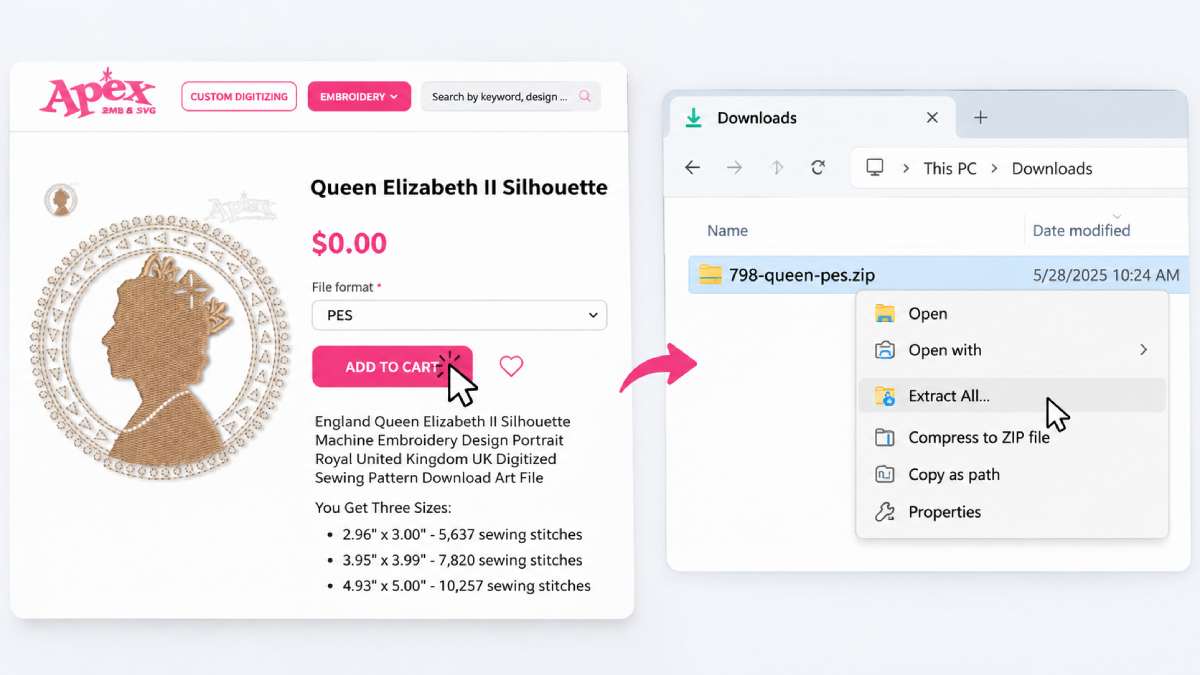
- Download and unzip. Open the ZIP and find the file for your machine.
- Transfer it. Most machines take files by USB stick, and some accept wireless transfer. Keep the folder simple, since many machines can't read long file names or nested folders.
- Choose the stabilizer. This is what keeps a design from puckering. As a general rule, cutaway suits stretchy knits like T-shirts, tearaway suits stable woven fabric, and a wash-away topping keeps stitches from sinking into towels or fleece.
- Hoop firmly. The fabric should be taut, but not stretched. Stretch it and the design will pucker once it's released.
- Set the thread and needle. Match thread colors to the sheet that came with the file. Use a fresh embroidery needle, since a worn one causes skipped stitches and breaks.
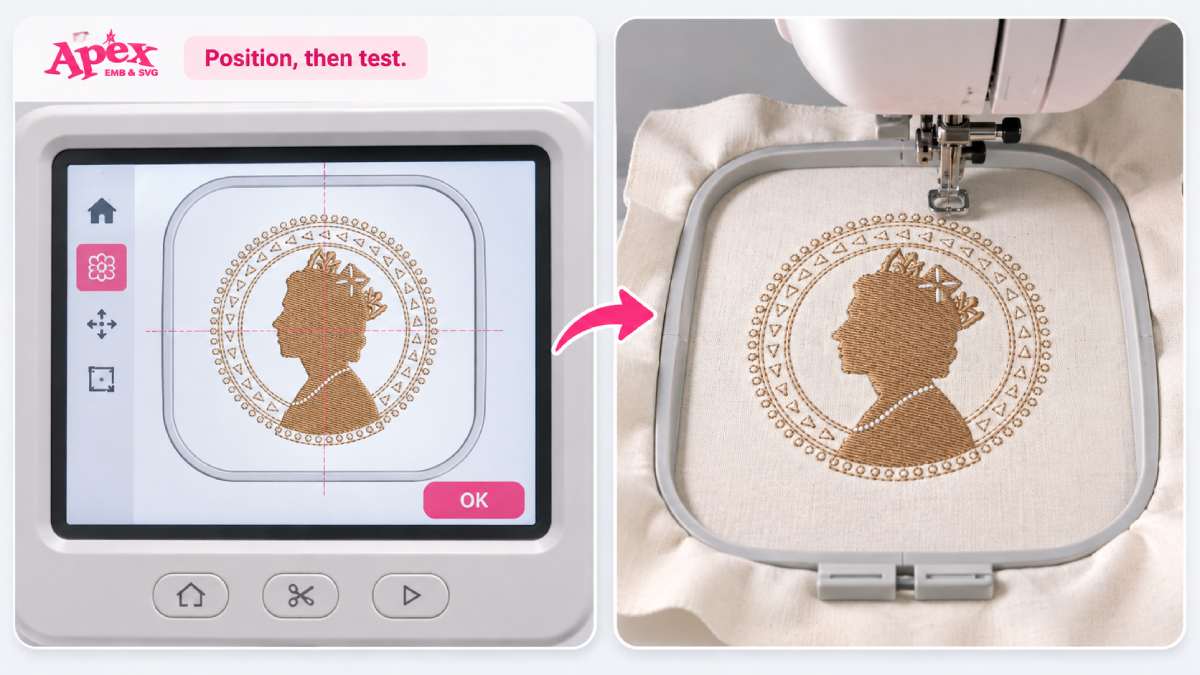
- Position, then test. Check the placement on your machine's screen, then stitch a test before the real piece.
Need to convert or resize?
Free software such as Ink/Stitch can open and edit many files. Resize in small steps. A big change in size alters stitch density and can ruin a design that looked fine at its original size. If a design only comes in the wrong format, converting is possible, but results vary, so test the converted file.
Can You Sell Items Made With Free Embroidery Designs?
Often, no. Many free designs are for personal use only. If you sell finished items made with one, the designer can come after you.
Some licenses do allow commercial use, but cap how many items you can sell. A few ask for credit. The rules differ, so read each one.
Keep proof of where each file came from, whether it's a receipt or a screenshot of the license. If a design has no clear license, don't sell what you stitch from it.
When a Paid Design Is Worth It
Free designs are great for testing and for gifts. They fall short when you need several sizes, the same quality every time, or a license you can point to when you sell.
At that point a paid design costs less than the risk. See our full machine embroidery collection for files with clear licensing.
FAQ
Are free machine embroidery designs safe to download?
Only from sources with clear terms. Avoid pages that ask you to install software or pay for a free file.
What format should I use for my embroidery machine?
The one your machine's manual lists. PES for Brother, JEF for Janome, VP3 for Pfaff and Husqvarna Viking, EXP for Bernina, and DST for many industrial machines.
Can I resize a free embroidery design?
A little, yes. Large changes affect stitch density, so resize in small steps and test on scrap fabric.
Can I use free designs on items I sell?
Only if the license says so. Personal-use designs can't be used on items you sell.