


What Embroidery File Format Does BERNINA Use?

If you own a BERNINA embroidery machine, choosing the right embroidery file format is essential. Using an incompatible file can prevent your machine from recognizing a design or cause problems when transferring it from your computer to the machine.
So, what embroidery file format does BERNINA use?
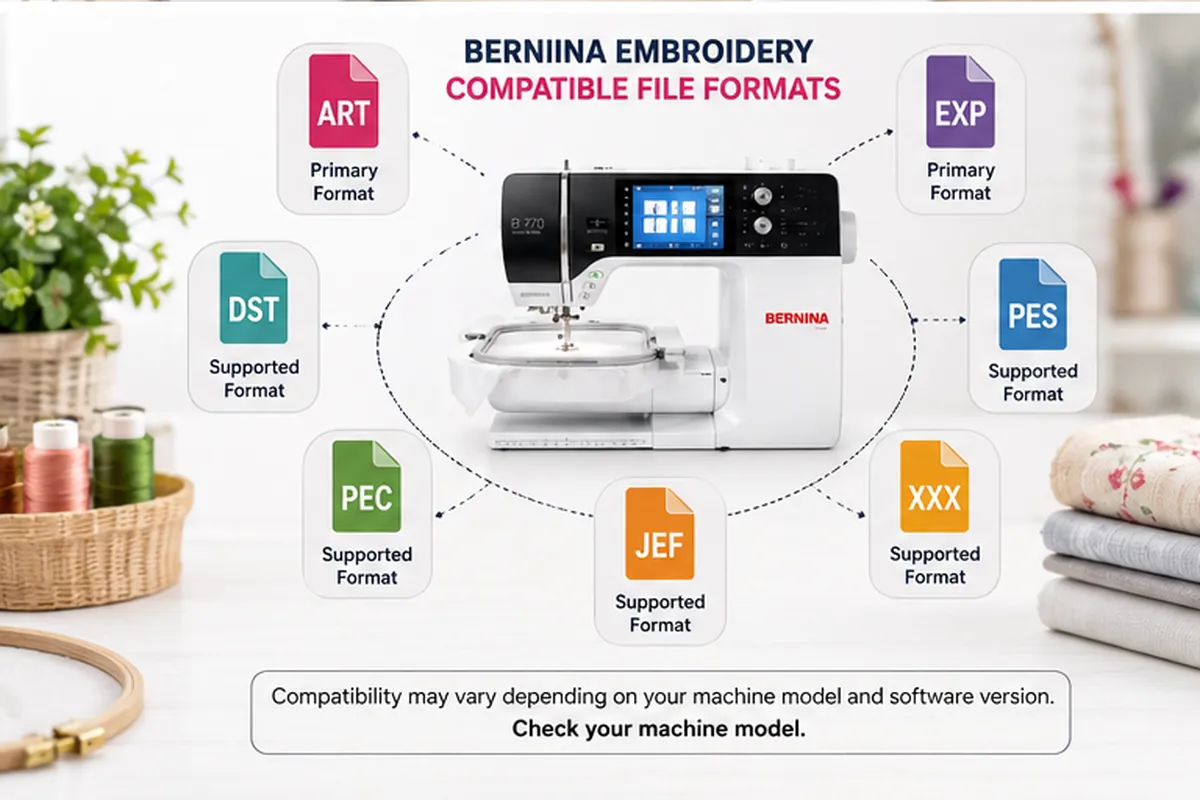
The short answer is ART and EXP, but they serve different purposes. ART is BERNINA's native design format, while EXP is commonly used as a machine format for BERNINA USB workflows. BERNINA Embroidery Software also supports other popular formats, including DST, PES, PEC, and several others.
If you're looking for ready-to-use BERNINA embroidery designs, make sure the download includes the format your specific machine requires.
Quick Answer: What File Format Does BERNINA Use?
Here is a simple breakdown:
| File Format | Primary Use | BERNINA |
|---|---|---|
| ART | Native BERNINA design format | ✅ Yes |
| EXP | BERNINA machine/USB format | ✅ Yes |
| DST | Tajima machine format | ✅ Supported by BERNINA Software |
| PES | Brother/Baby Lock format | ✅ Supported by BERNINA Software |
| PEC | Brother/Baby Lock format | ✅ Supported |
| JEF | Janome format | ✅ Supported |
| XXX | Singer format | ✅ Supported |
The exact formats available to you can depend on your BERNINA machine model and the version of BERNINA software you're using. BERNINA V9, for example, supports a broad range of machine formats.
What Is the BERNINA ART File Format?
ART is BERNINA's native embroidery design format.
When working with BERNINA Embroidery Software, ART is particularly useful because it preserves design information needed for editing and modification.
A native ART design can contain information such as:
- Object outlines
- Stitch information
- Object properties
- Thread colors
- Design thumbnails
- Comments
This makes ART different from a simple machine stitch file. BERNINA describes native ART files as a complete design format containing the information needed for both stitching and later modification.
Why Is ART Important?
Imagine that you download an embroidery design and later decide that you want to:
- Change its size
- Adjust individual objects
- Modify stitch properties
- Change thread colors
- Edit part of the design
Having the original design format can give you much more flexibility than working only with a machine stitch file.
For this reason, if you're creating your own embroidery designs, it's a good idea to keep the original ART file as your master file.
What Is the EXP File Format for BERNINA?
EXP is a machine embroidery format used in BERNINA workflows.
BERNINA Embroidery Software identifies EXP as the format used for BERNINA USB-stick machine files. The software's export instructions specifically mention BERNINA USB Stick EXP files as a typical machine-file output.
Machine files are different from editable design files because they primarily contain the stitch coordinates and machine commands required to reproduce the embroidery design.
In simple terms:
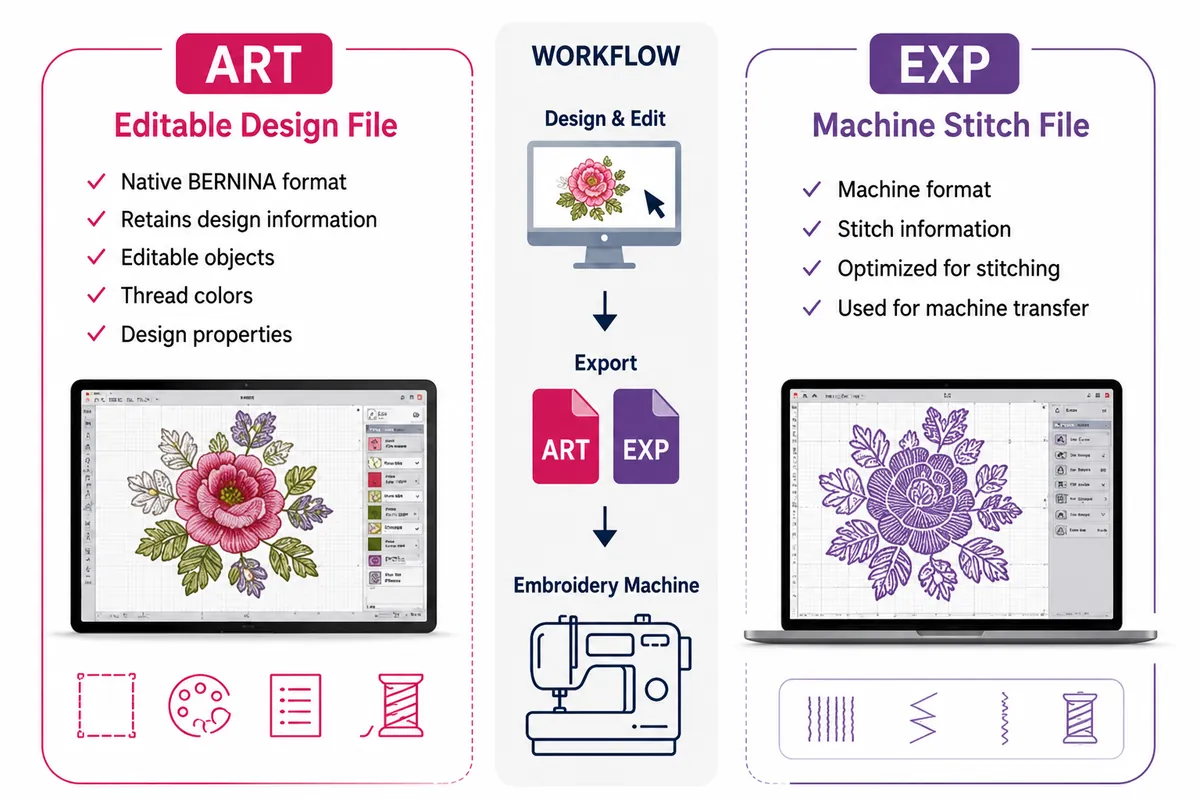
ART = design/editing file
EXP = machine/stitch file
That distinction is important when downloading, creating, or converting embroidery designs.
ART vs. EXP: What's the Difference?
The easiest way to remember the difference is:
| ART | EXP |
|---|---|
| Native BERNINA design format | Machine embroidery format |
| Designed for editing | Designed for stitching |
| Retains design information | Primarily contains stitch information |
| Useful as a master file | Useful for machine transfer |
| Associated with BERNINA software | Commonly used for BERNINA USB workflows |
BERNINA's own documentation recommends using BERNINA All-in-One ART files for design work and BERNINA USB Stick EXP files for machine-file export.
Can BERNINA Use DST, PES, JEF and Other Embroidery Files?
Yes.
One of the advantages of BERNINA Embroidery Software is that it can work with several embroidery file formats.
BERNINA V9 supports formats including:
- EXP
- DST
- PES
- PEC
- JEF/SEW
- HUS
- VP3
- VIP
- XXX
- And other formats
BERNINA's software documentation lists these formats as supported machine files.
However, there's an important distinction between software compatibility and direct machine compatibility.
A file that BERNINA software can open may not necessarily be the exact format your embroidery machine expects for direct transfer.
That's why you should always check the manual or specifications for your particular BERNINA model before transferring a design.
Can You Use PES Files on a BERNINA?
Yes, BERNINA Embroidery Software can work with PES files.
PES is commonly associated with Brother and Baby Lock embroidery machines, but BERNINA software can read and write PES machine files.
If you download a PES design and want to use it with a BERNINA machine, you may need to convert or export it into the appropriate format for your particular machine.
This is especially important if you're purchasing embroidery designs online.
Before downloading, look for a design seller that offers multiple machine formats rather than assuming that one file will work with every embroidery machine.
For example, Apex Embroidery Designs offers embroidery designs in multiple machine formats, including ART for BERNINA, along with formats for Brother, Tajima, Janome, Husqvarna, Pfaff, Singer, and other machines.
Can You Use DST Files on a BERNINA?
DST is another widely used embroidery machine format.
BERNINA V9 supports DST and can import it as a machine file.
However, DST files are primarily stitch files. When a machine file is imported into BERNINA software, the software converts the stitch information into objects that can be modified. BERNINA classifies designs originating from machine files such as EXP, DST, and PES differently from native Grade A design files such as ART.
This means that converting a DST file into another format does not necessarily recreate the original editable design exactly as the digitizer created it.
What File Format Should You Download for a BERNINA?
If you're buying or downloading an embroidery design, your best choice depends on what you want to do with it.
Choose ART if:
- You want the native BERNINA design format
- You plan to edit the design
- You want to maintain an editable master file
- You're working primarily in BERNINA Embroidery Software
Choose EXP if:
- You need a BERNINA machine file
- You're transferring designs using a compatible BERNINA USB workflow
- Your machine specifically requires EXP
Choose another format if:
Your machine or software specifically requires it.
For example:
Brother → PES
Janome → JEF
Tajima → DST
BERNINA → ART / EXP
But always verify the requirements of your exact machine.
What Should You Look for When Buying BERNINA Embroidery Designs?
Not every embroidery design download is packaged in the same way.
Before purchasing, check:
1. Available file formats
Make sure the design includes the format required by your machine.
For BERNINA users, look for ART and/or the appropriate machine format.
2. Available sizes
An embroidery design may be offered in several sizes.
The design should fit your embroidery hoop without requiring excessive resizing.
3. Stitch count
A design with a very high stitch count may take significantly longer to embroider and can affect the final appearance of the project.
4. Design quality
Good digitizing matters just as much as file format.
Poorly digitized designs can result in:
- Thread breaks
- Excessive jumps
- Uneven density
- Fabric puckering
- Poor registration
- Unwanted gaps
5. Download instructions
Digital embroidery designs are usually delivered as downloadable files, often inside a ZIP folder.
For example, Apex Embroidery's product pages state that customers receive an instant download containing the available sizes and machine formats.
How Do You Transfer an Embroidery Design to a BERNINA Machine?
The exact process depends on your machine model, but a typical workflow looks like this:
Step 1: Download the embroidery design.
Step 2: Unzip the downloaded folder.
Step 3: Find the file format required by your machine.
Step 4: Transfer the file using USB, Wi-Fi, cable, or another supported method.
Step 5: Open the design on your BERNINA machine.
Step 6: Check the hoop size, design dimensions, thread colors, and placement.
Step 7: Stitch a test sample if necessary.
BERNINA software supports several methods of transferring designs, including USB, cable, and Wi-Fi on compatible machines.
Common BERNINA Embroidery File Format Questions
What is the main embroidery file format for BERNINA?
ART is BERNINA's native design format. EXP is commonly used as a machine format for BERNINA USB workflows.
Is ART the same as EXP?
No.
ART is a native design format that preserves information for editing, while EXP is primarily a machine stitch format.
Can I use a DST file with BERNINA?
Yes, BERNINA Embroidery Software supports DST. Whether you can transfer DST directly to your particular machine depends on the model.
Can I use PES with BERNINA?
BERNINA Embroidery Software supports PES. For direct machine use, check your specific BERNINA model's supported formats.
Where can I find BERNINA embroidery designs?
Look for embroidery design websites that clearly list the machine formats included with each design. Apex Embroidery Designs offers designs in multiple machine formats, including ART for BERNINA, making it easier to choose a file compatible with your embroidery setup.
Can I convert an embroidery file to ART?
BERNINA software can import machine files and convert their stitch data into editable objects. However, converting a machine file does not necessarily restore the original digitizer's complete design information.
Final Answer: What Embroidery File Format Does BERNINA Use?
So, what embroidery file format does BERNINA use?
The answer depends on the purpose:
- ART → BERNINA's native editable design format
- EXP → commonly used BERNINA machine/USB format
- DST → supported machine format
- PES → supported by BERNINA software
- JEF, PEC, HUS, VP3, XXX → additional formats supported by BERNINA software
If you're downloading an embroidery design for your BERNINA, don't just look at the design itself. Check the file format, size, hoop compatibility, and digitizing quality before purchasing.
And if you want a ready-to-use design, choose a source that provides the correct BERNINA format along with the other major machine formats.
For a wide selection of machine embroidery designs and fonts available in ART BERNINA format, you can explore Apex Embroidery Designs.