


How to Make Embroidery Designs on Computer: The Complete Beginner-to-Pro Guide

Creating professional embroidery patterns is easier today than ever before. If you have ever wondered how to make embroidery designs on computer systems for your embroidery machine, this complete guide will walk you through everything you need to know.
Whether you are a beginner learning how to make an embroidery file or an experienced designer wanting to create professional machine-ready artwork, modern embroidery software gives you complete creative control over your projects.
From logos and monograms to custom apparel and commercial embroidery, learning how to make embroidery designs for machine use can open the door to creativity, side income, or even a full embroidery business. In this guide, you will learn:
- How embroidery digitizing works
- The best software for beginners
- How to create machine embroidery files
- How to make custom embroidery designs
- Tips for better stitch quality
- Common embroidery file formats
- Professional embroidery design techniques
What Are Embroidery Designs?
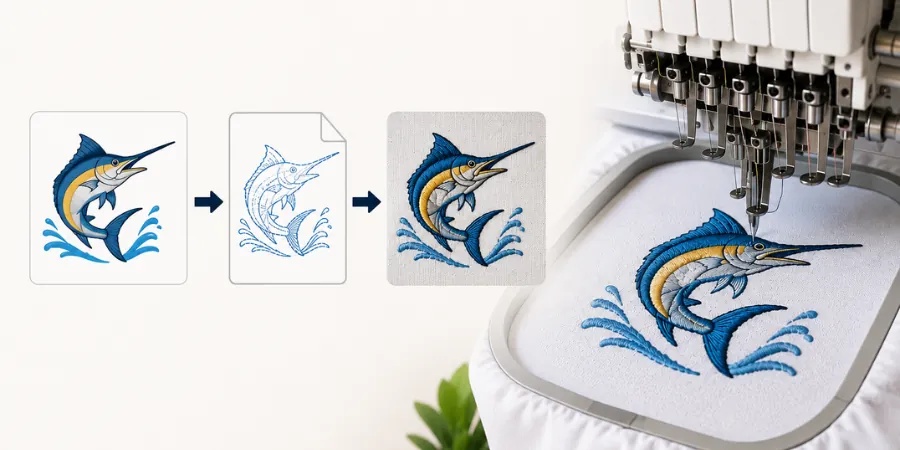
Embroidery designs are digital stitch files used by embroidery machines to sew patterns onto fabric. Unlike normal images, embroidery files contain stitch instructions that tell the machine:
- Where to stitch
- Which direction to sew
- What stitch type to use
- Thread color sequence
- Stitch density and underlay
Learning how to make embroidery designs means learning how to convert artwork into machine-readable stitch data.
This process is called embroidery digitizing.
Best Software for Creating Embroidery Designs
Before learning how to make embroidery files, you need the right software.
Some popular embroidery digitizing programs include:
- Wilcom Embroidery Studio
- Hatch Embroidery
- Brother PE-Design
- Embrilliance
- Ink/Stitch
- SewArt
- Chroma
- Bernina DesignerPlus
Beginners often start with Hatch or Ink/Stitch because they are easier to learn.
Professional embroidery businesses usually prefer Wilcom because of its advanced digitizing features.
How to Make and Create Embroidery Designs on Computer Step by Step
Creating professional embroidery designs on a computer is easier today than ever before. Whether you want to make custom logos, personalized gifts, or commercial embroidery files, modern embroidery software gives you complete creative control over your designs.
If you want to learn how to create embroidery designs, the process usually follows these essential steps:
- Create or import artwork
- Open embroidery software
- Digitize the design
- Adjust stitch settings
- Preview the embroidery simulation
- Export the embroidery file
- Test stitch the design
With today’s embroidery digitizing software, even beginners can start creating high-quality machine embroidery files much faster than before.
Step 1: Choose or Create Artwork
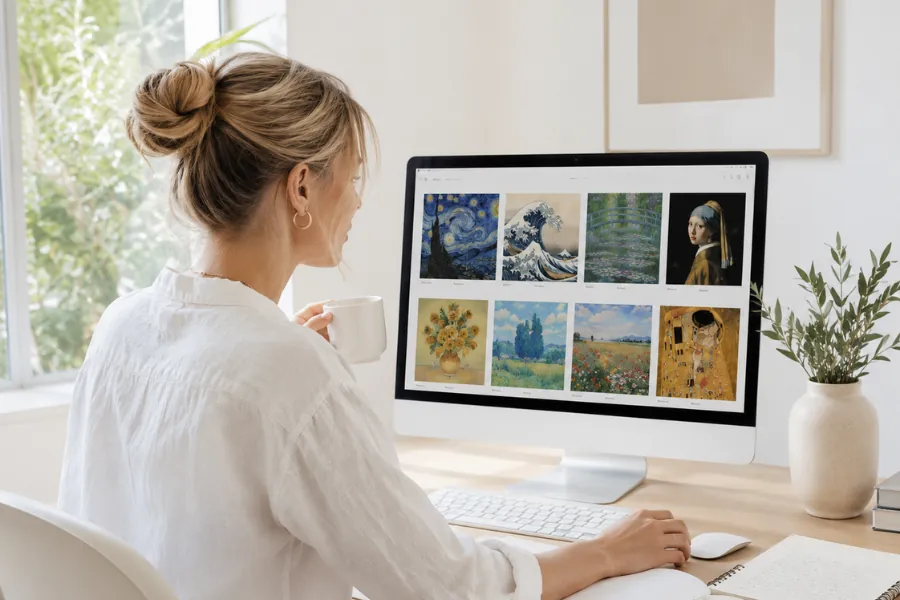
The first step in learning how to create embroidery files is preparing the artwork properly.
Good embroidery artwork should:
- Have clean lines
- Use solid shapes
- Avoid excessive tiny details
- Maintain strong contrast
Vector graphics are usually the best option because they can scale cleanly without losing quality.
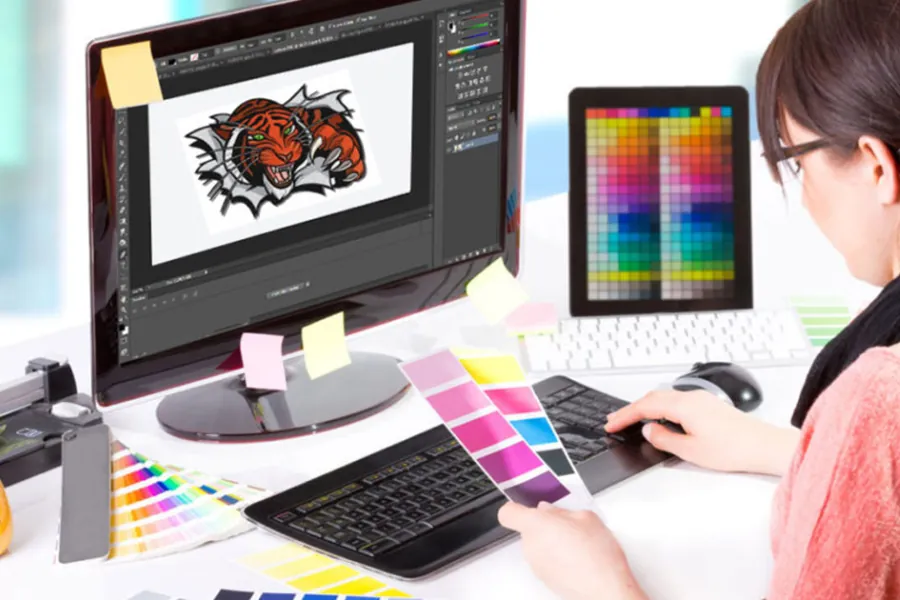
Popular design programs include:
- Adobe Illustrator
- CorelDRAW
- Canva
- Photoshop
- Inkscape
Simple logos, embroidery fonts, text designs, and monograms are excellent starting points for beginners because they are easier to digitize and stitch successfully.
Step 2: Import Artwork Into Embroidery Software
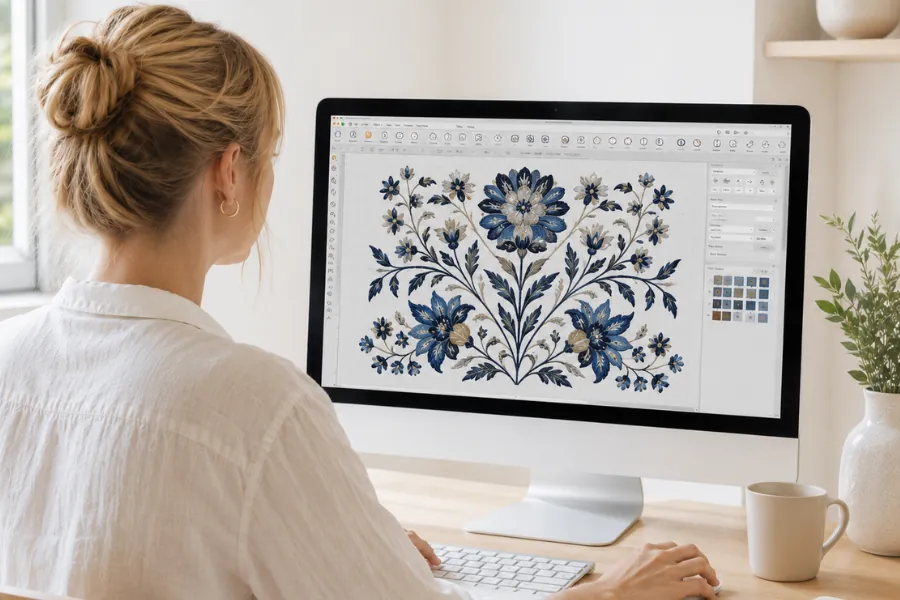
Once the artwork is ready, import it into embroidery digitizing software.
The software allows you to:
- Trace shapes
- Assign stitch types
- Set stitch directions
- Add underlay stitches
- Choose thread colors
This is the stage where standard graphic artwork becomes an embroidery-ready design file.
Popular embroidery software programs include Wilcom, Hatch, Brother PE-Design, Embrilliance, and Ink/Stitch.
Step 3: Digitize the Design
Digitizing is the most important part of learning how to make embroidery designs for machine embroidery.
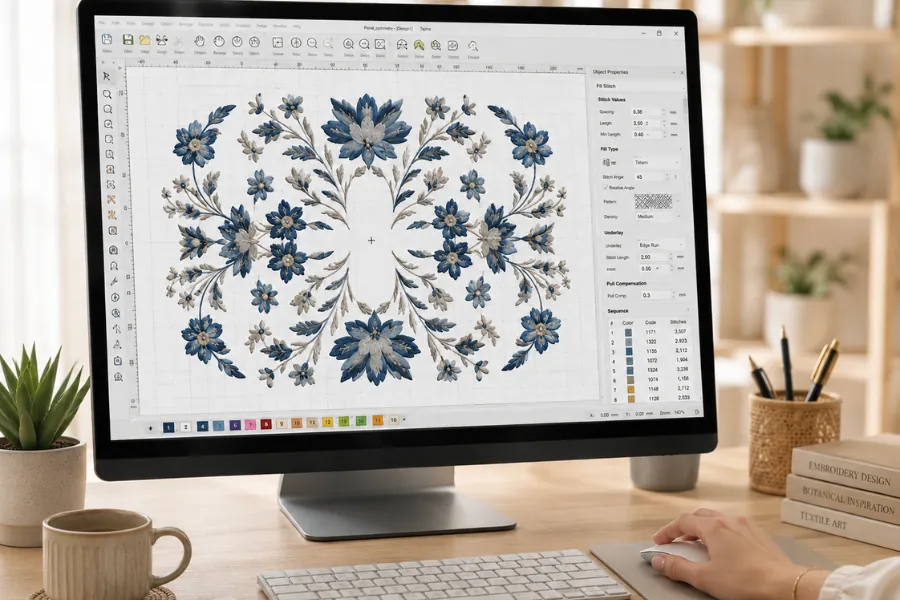
During digitizing, shapes are converted into stitches either manually or semi-automatically. Proper digitizing directly affects stitch quality, fabric stability, thread efficiency, and the final embroidered appearance.
Step 4: Adjust Stitch Settings
After digitizing, adjust the stitch settings to match the fabric type and design requirements.
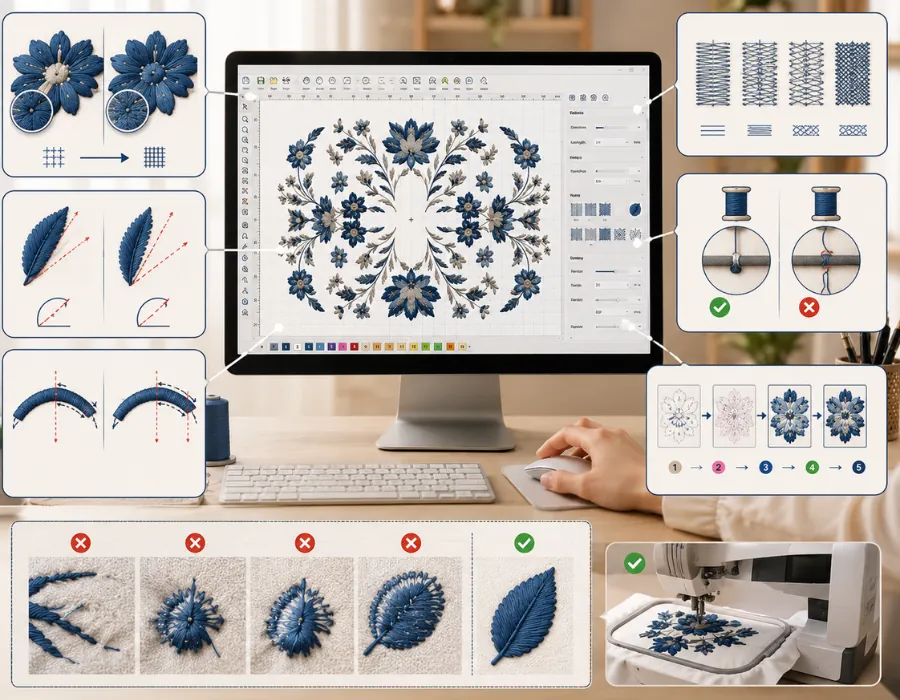
Important embroidery settings include:
- Stitch density
- Stitch angle
- Pull compensation
- Underlay type
- Thread tension
- Sewing sequence
Correct settings help reduce thread breaks, puckering, gaps, and uneven stitching.
Step 5: Preview the Embroidery Simulation
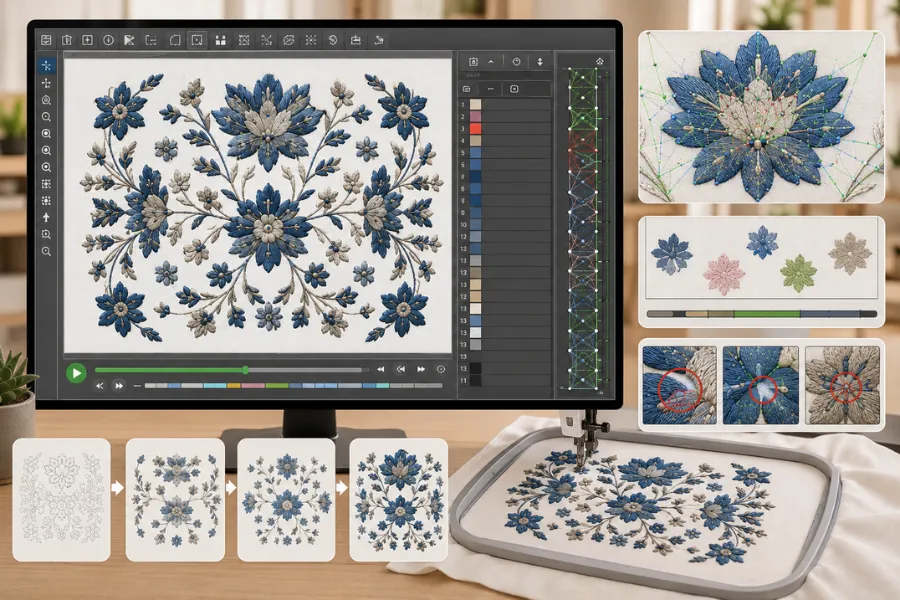
Most embroidery software includes a simulation feature that shows how the design will stitch out on the embroidery machine.
This preview helps you:
- Detect stitch overlaps
- Check color order
- Find gaps or unnecessary trims
- Improve stitch sequencing
Carefully reviewing the simulation can save time, thread, and fabric before production begins.
Step 6: Export the Embroidery File
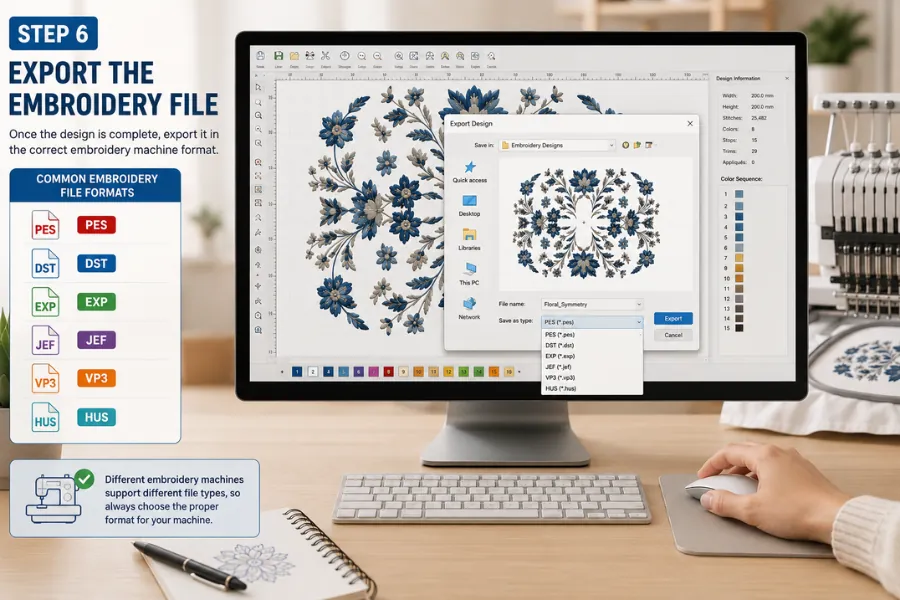
Once the design is complete, export it in the correct embroidery machine format.
Different embroidery machines use different formats, including:
- DST for Tajima
- PES for Brother
- JEF for Janome
- EXP for Melco
- VP3 and HUS for Husqvarna machines
Before exporting your design, always check which format your machine supports. Using the wrong file type can cause errors or poor stitching results.
Step 7: Test Stitch the Design
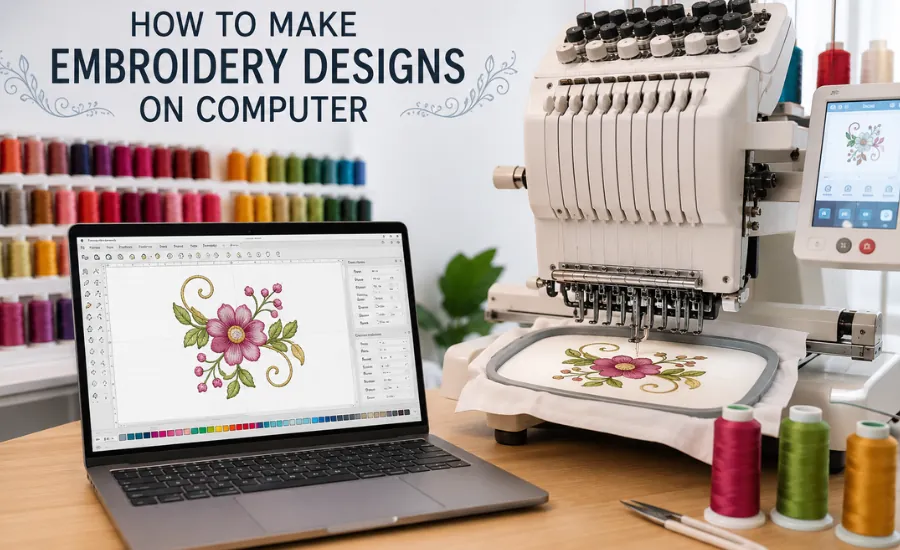
Before final production, always run a test stitch on fabric similar to the final material.
Testing allows you to:
- Check stitch quality
- Adjust density and tension
- Verify design sizing
- Detect thread problems
- Improve overall embroidery results
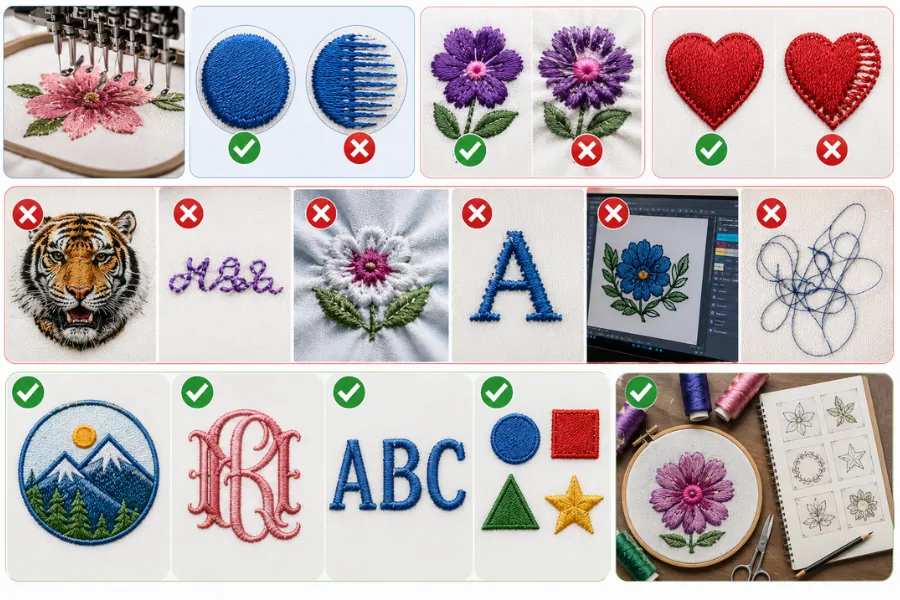
Even professional digitizers always test embroidery files before full production.
What Makes a Good Embroidery Design?
Professional embroidery designs usually include:
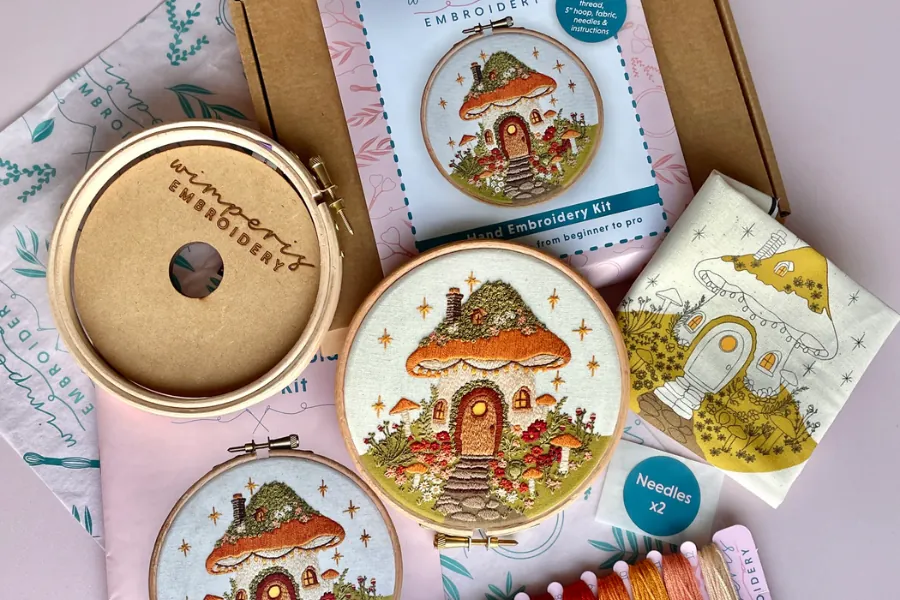
- Clean and smooth shapes
- Balanced stitch density
- Proper stitch direction
- Minimal jump stitches
- Enough spacing between details
- Strong underlay support
- Efficient stitch sequencing
Good digitizing helps reduce:
- Thread breaks
- Fabric puckering
- Distorted lettering
- Uneven stitching
- Excessive trimming
Popular Custom Embroidery Projects
Common embroidery projects include:
- Company logos
- Monograms
- Hat embroidery
- Jacket back designs
- Personalized gifts
- Custom patches
- Team uniforms
Each project requires different digitizing techniques depending on the fabric, placement, and design complexity.
Frequently Asked Questions About Making Embroidery Designs
How do I start making embroidery designs?
Start by learning embroidery software basics, then practice digitizing simple artwork like names and logos.
What software is best for beginners?
Hatch Embroidery and Ink/Stitch are beginner-friendly options with good learning resources.
How long does it take to learn embroidery digitizing?
Basic digitizing can be learned within weeks, while advanced professional digitizing may take months or years of practice.
Can I create embroidery files for free?
Yes. Ink/Stitch is a free embroidery extension for Inkscape that allows beginners to learn how to create embroidery files without expensive software.
What is the difference between an image and an embroidery file?
An image only contains visual data, while an embroidery file contains stitch instructions for embroidery machines.
Custom Embroidery Digitizing Services At Apex Embroidery Design
Skip the hassle of learning embroidery software and digitizing designs yourself. Simply send your logo, image, or artwork, and receive a professional machine-ready embroidery file within 1–2 days.
With 25+ years of embroidery digitizing experience, we create clean, high-quality embroidery files for:
- Business logos
- Hats and apparel
- Sports teams
- Clubs and organizations
- DIY embroidery projects
Compatible embroidery formats include: PES, DST, JEF, VP3, EXP, HUS, XXX, ART, VIP, SEW, and more.
Our digitized designs are commonly used for:
- Embroidered hats
- Custom t-shirts
- Jackets and hoodies
- Accessories and patches
Embroidery Digitizing Service Packages
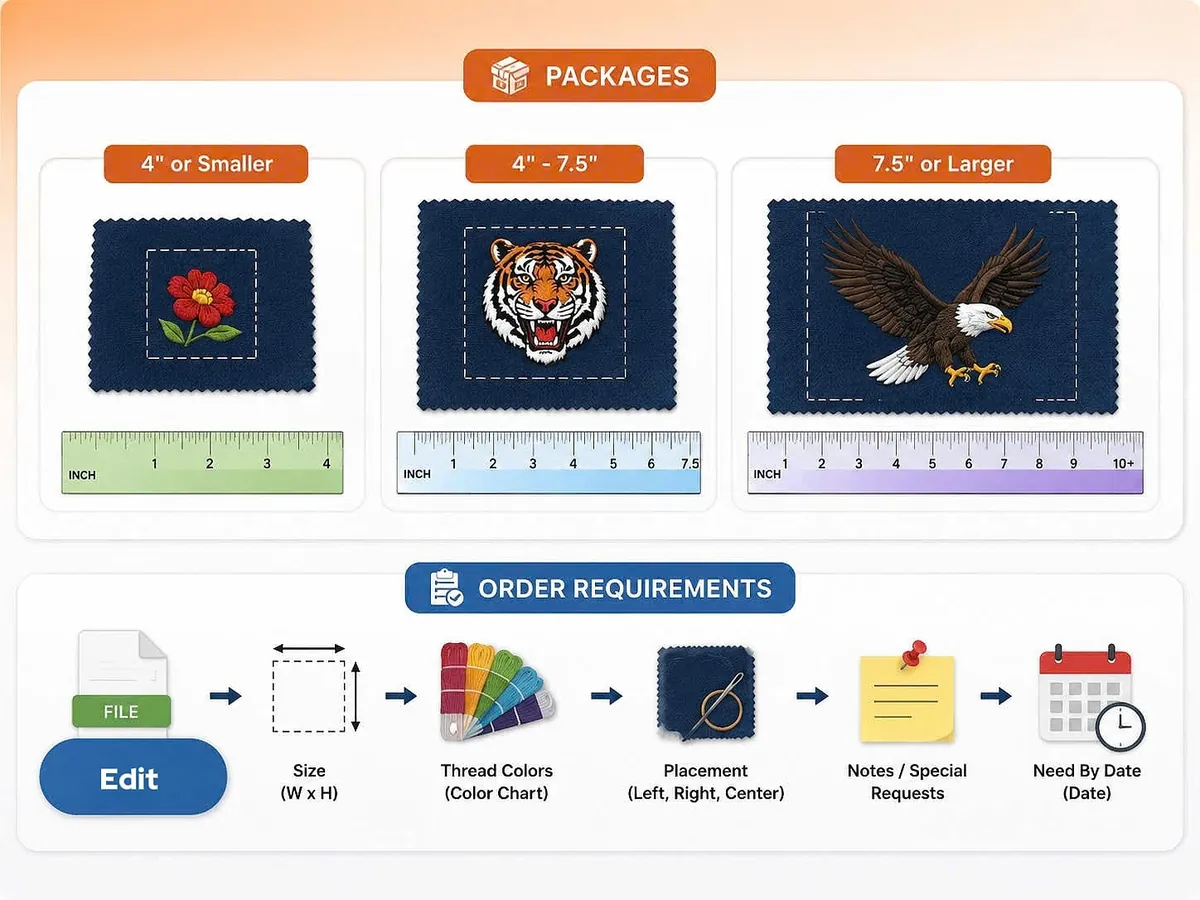
- 4" or Smaller
- 4" – 7.5"
- 7.5" or Larger
Order Requirements
Please provide:
- Design width (inches)
- Number of colors
- Fabric type (cotton, fleece, leather, knit, spandex, etc.)
- Preferred embroidery file format
- Your artwork or logo file
Rush delivery is also available for urgent orders.
Final Thoughts
Learning how to make embroidery designs on computer systems is one of the most valuable skills for embroidery enthusiasts, hobbyists, and business owners.
Whether your goal is learning how to make an embroidery file, mastering how to make embroidery designs for machine use, or creating professional custom embroidery designs, modern software makes embroidery digitizing more accessible than ever. The more experience you gain, the better your embroidery files and finished projects will become. With the right tools and practice, anyone can learn how to create embroidery designs, produce professional embroidery patterns, and even build a successful embroidery business.