


Interlocking Embroidery Fonts: Styles, Uses & Monogram Guide

Interlocking embroidery fonts are digitized letter sets designed so two or more initials connect, overlap, or visually weave together to create one unified monogram. Unlike standard embroidery alphabets, these fonts are created specifically around the way each letter interacts with the letters beside it.
The result is a polished, personalized design that works beautifully on wedding gifts, towels, shirts, bags, linens, hats, home décor, and many other embroidery projects.
Whether you want a flowing vine monogram, an elegant wedding design, or a bold varsity-style set of initials, choosing the right font, size, stitch type, and machine format can make a big difference in the finished result.
At Apex Embroidery Designs, you can explore a wide selection of interlocking embroidery fonts created specifically for machine embroidery.
What Is an Interlocking Embroidery Font?
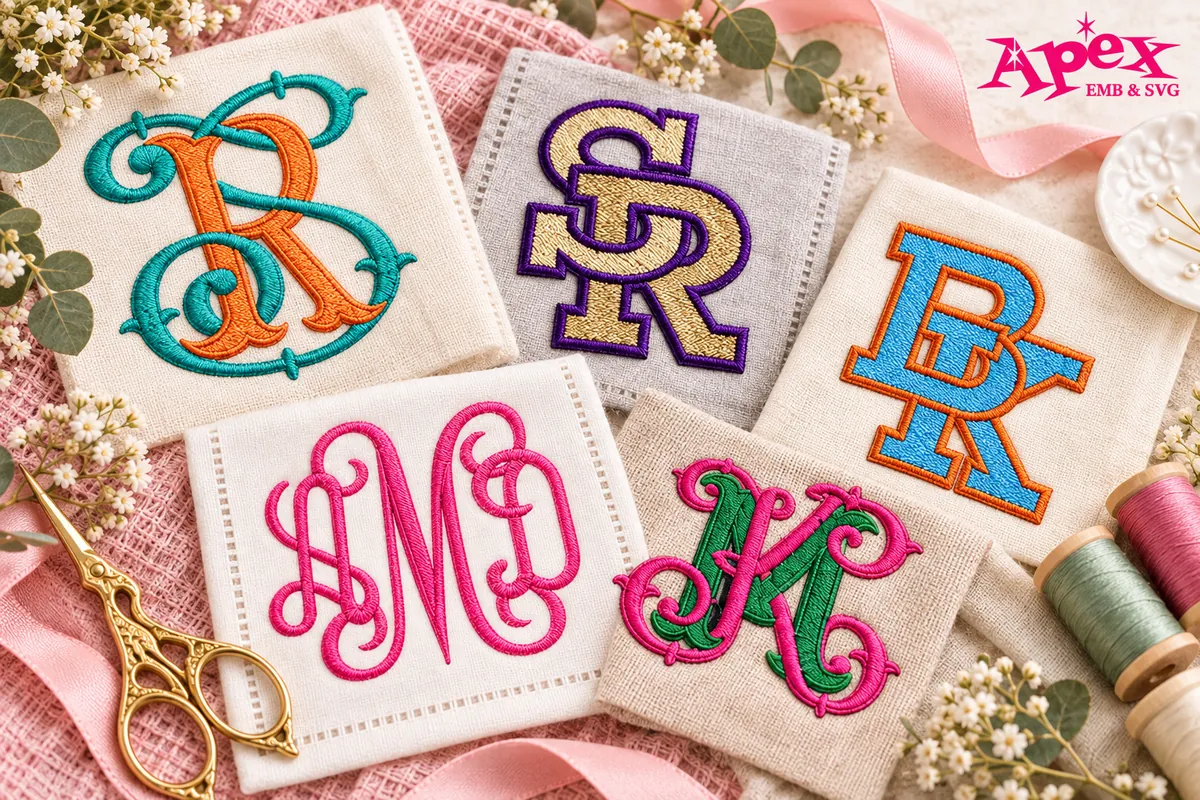
An interlocking embroidery font is a machine embroidery alphabet or monogram set in which letters are designed to fit together rather than simply sit next to one another. The strokes may overlap, curve around one another, or connect in a way that makes several initials appear as one decorative emblem.
This makes interlocking fonts especially popular for monograms. A traditional embroidery alphabet may be perfect for stitching a full name or individual word, while an interlocking font is usually chosen when the goal is to turn initials into a single decorative design.
| Feature | Interlocking Embroidery Font | Regular Monogram or Embroidery Font |
|---|---|---|
| Letter placement | Letters connect or overlap | Letters usually remain separate |
| Best for | Initial monograms | Names, words, and initials |
| Common combinations | 2 or 3 initials | One or more letters |
| Finished look | One unified emblem | Individual lettering |
| Popular projects | Wedding gifts, towels, apparel, bags | General personalization |
If you are looking for other lettering styles as well, browse the complete collection of machine embroidery fonts from Apex.
How Do Interlocking Monogram Embroidery Fonts Work?
Interlocking monograms are usually built around either two or three initials. The exact arrangement depends on the font design, so it is important to preview the complete monogram before stitching it onto your final item.
2-Letter Interlocking Monograms
A two-letter interlocking monogram combines two initials into one design. These are especially useful for:
- A couple's initials
- First and last name initials
- Wedding and anniversary gifts
- Business or organization initials
- Towels, bags, shirts, and accessories
For a more vintage look, the Raven Interlocking Monogram Embroidery Font is designed around two connected initials and works well when you want the letters to feel like one complete design rather than two separate characters.
3-Letter Interlocking Monograms
Three-letter monograms are popular for personal initials and decorative gifts. Depending on the monogram tradition and design, the last-name initial may be placed in the center or emphasized more strongly than the surrounding initials.
For weddings, a three-letter arrangement may also be used to represent a couple and their shared surname.
If you want a flowing, elegant look, explore the Script Ladders Interlocking Monogram Embroidery Font, which is particularly suited to decorative and wedding-style monograms.
Popular Styles of Interlocking Embroidery Fonts
There is no single interlocking font style that works for every embroidery project. The best choice depends on the fabric, item, recipient, and overall look you want to create.
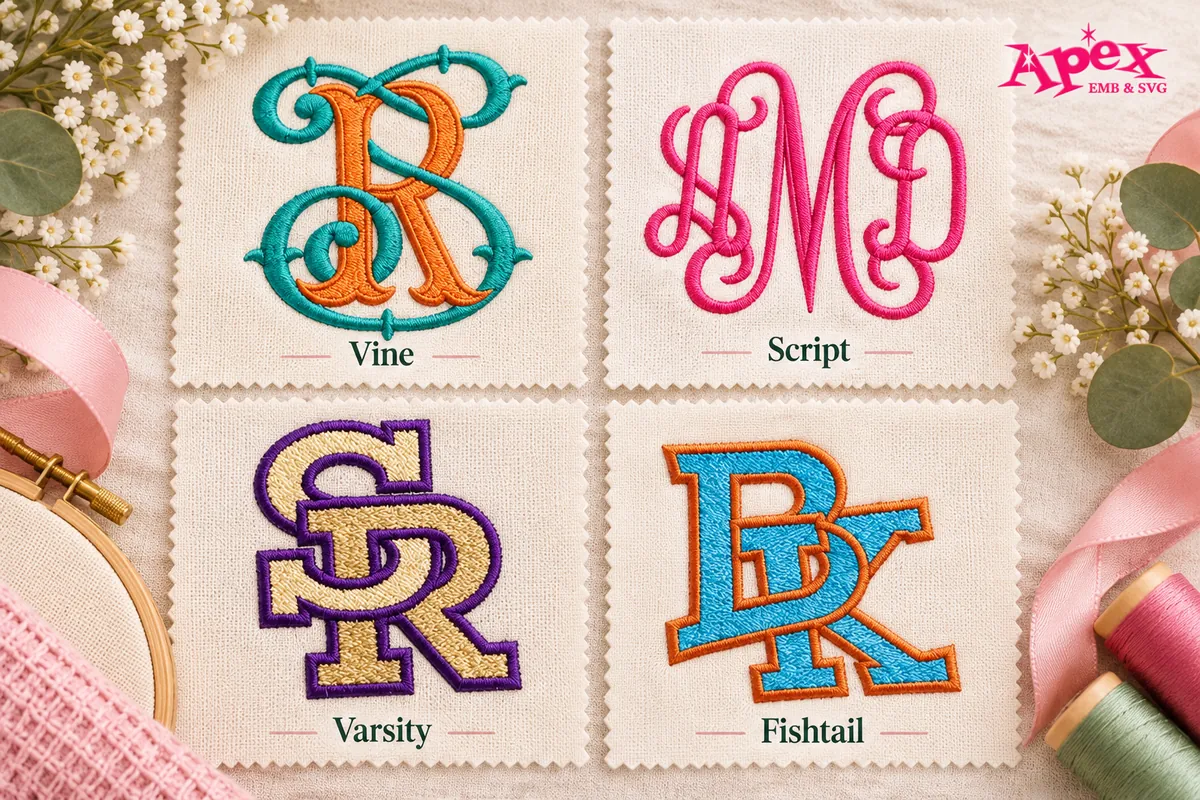
1. Vine Interlocking Embroidery Fonts
Vine fonts use sweeping curves and decorative strokes to make initials flow into one another. They are one of the most recognizable styles for traditional monogram embroidery.
Vine interlocking fonts are especially beautiful on:
- Bath and hand towels
- Bed linens
- Wedding gifts
- Robes
- Tote bags
- Home décor
The Vine Interlocking Monogram Embroidery Font is a good starting point if you want a classic curly monogram with a bold satin-stitch appearance.
2. Script Interlocking Fonts
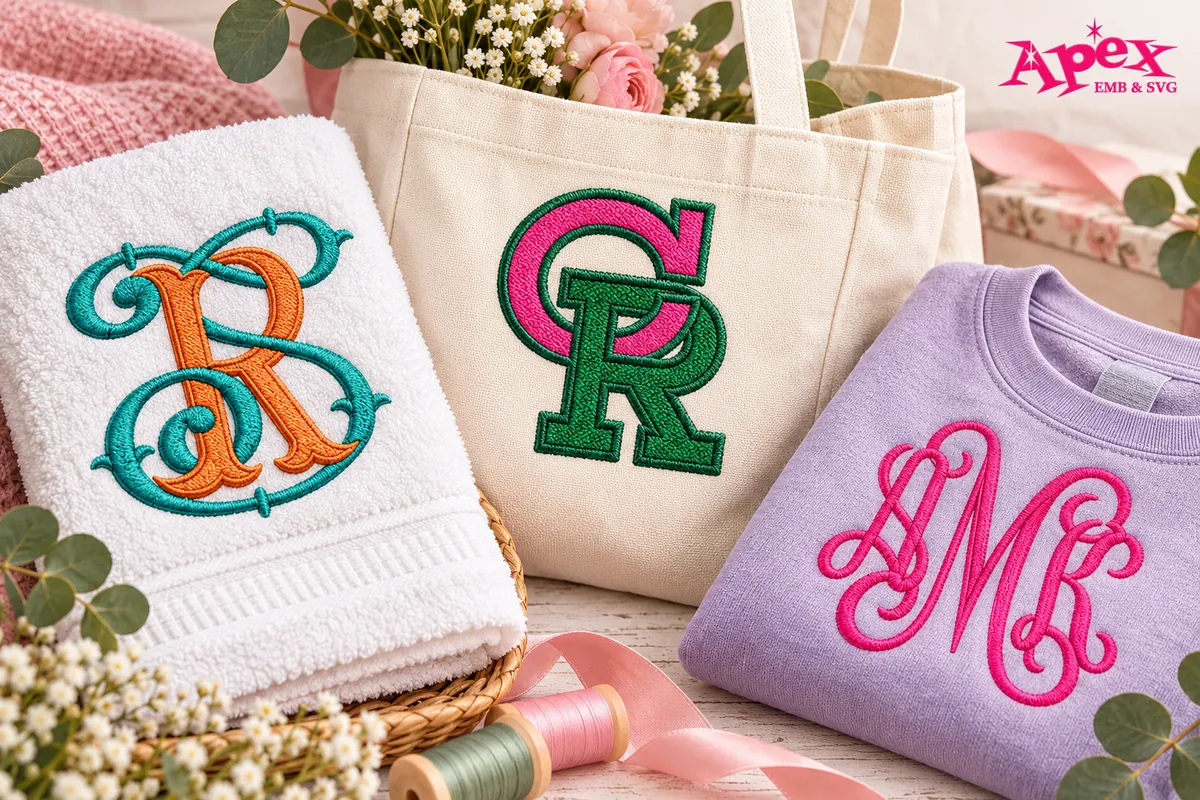
Script interlocking fonts have a softer, more formal personality. Their flowing lines can make initials look handwritten while still maintaining the structure needed for machine embroidery.
They work particularly well for bridal projects, wedding gifts, handkerchiefs, robes, linens, and personalized keepsakes.
Pair a script monogram with designs from the Wedding Embroidery Designs collection if you are creating a coordinated bridal or wedding project.
3. Block and Varsity Interlocking Fonts
Not every monogram needs to look delicate. Block and varsity interlocking fonts create a stronger, more athletic appearance and are often a better match for jackets, sweatshirts, team apparel, school projects, caps, and sports bags.
The Varsity Interlocking Font creates bold connected initials that work especially well for school, varsity, sport, and athletic-themed projects.
4. Fishtail and Decorative Interlocking Fonts
Fishtail lettering offers a balance between traditional and decorative typography. The letter shapes tend to have more character than a plain block font while remaining structured enough to create a strong monogram.
For this style, see the Vine Fishtail Interlocking Monogram Embroidery Font.
How to Choose the Right Interlocking Embroidery Font
The best interlocking font is not simply the one that looks prettiest on screen. You should also consider the number of initials, project type, final embroidery size, fabric, machine format, and stitch construction.
1. Decide Whether You Need Two or Three Initials
Start with the monogram itself. If you are combining a first and last initial or creating a couple's monogram, a two-letter set may be enough. For a traditional personal monogram, you may need three letters.
Some interlocking products include individual alphabet letters, while others contain ready-digitized monogram combinations. Always check the individual product description before purchasing.
2. Match the Font Style to Your Project
| Project | Recommended Interlocking Style |
|---|---|
| Wedding gifts | Script, vine, or fishtail |
| Towels and linens | Vine or traditional monogram |
| Robes and bridal accessories | Script or vine |
| School apparel | Varsity or block |
| Sports bags and jackets | Block or varsity |
| Tote bags | Vine, block, or decorative |
| Home décor | Traditional, script, or fishtail |
3. Choose the Correct Embroidery Size
Embroidery fonts are digitized with a particular stitch density, satin width, underlay, spacing, and overall construction in mind. Because of this, it is usually best to stitch the design at or close to one of its intended sizes rather than dramatically resizing the file.
A design that looks beautiful at three inches may not stitch the same way if it is suddenly reduced to one inch. Fine openings can close, satin columns may become too narrow, and overlapping areas can become excessively dense.
Apex Tip: Choose a font that already includes a size suitable for your project instead of relying on heavy resizing inside your embroidery software.
4. Check Your Embroidery Machine Format
Before downloading any machine embroidery font, confirm which file format your machine or embroidery software uses.
Common formats include:
- PES – commonly used with Brother machines
- DST – widely used by commercial embroidery systems
- JEF – commonly associated with Janome
- ART – used by compatible Bernina software and machines
- EXP – used by various embroidery systems
- HUS – associated with Husqvarna Viking
- VIP and VP3 – supported by various Viking/Pfaff workflows
- XXX – used by compatible Singer systems
Many Apex fonts are also available for Embrilliance users. You can browse the BX Embrilliance embroidery collection, but always check the individual font page because BX availability varies by product.
5. Consider the Stitch Type
Different sizes and fonts may use different stitch techniques, including satin stitch, fill stitch, split satin, running stitch, or appliqué.
Satin stitch creates smooth, polished letter strokes and works especially well for many smaller and medium-sized monograms. Fill stitch can be more suitable for larger areas, while appliqué is useful when you want to create oversized monograms without filling the entire design with embroidery stitches.
Best Projects for Interlocking Monogram Embroidery
One reason interlocking embroidery fonts remain so popular is their versatility. A simple set of initials can transform an everyday item into a personalized gift or custom product.
Wedding Towels and Robes
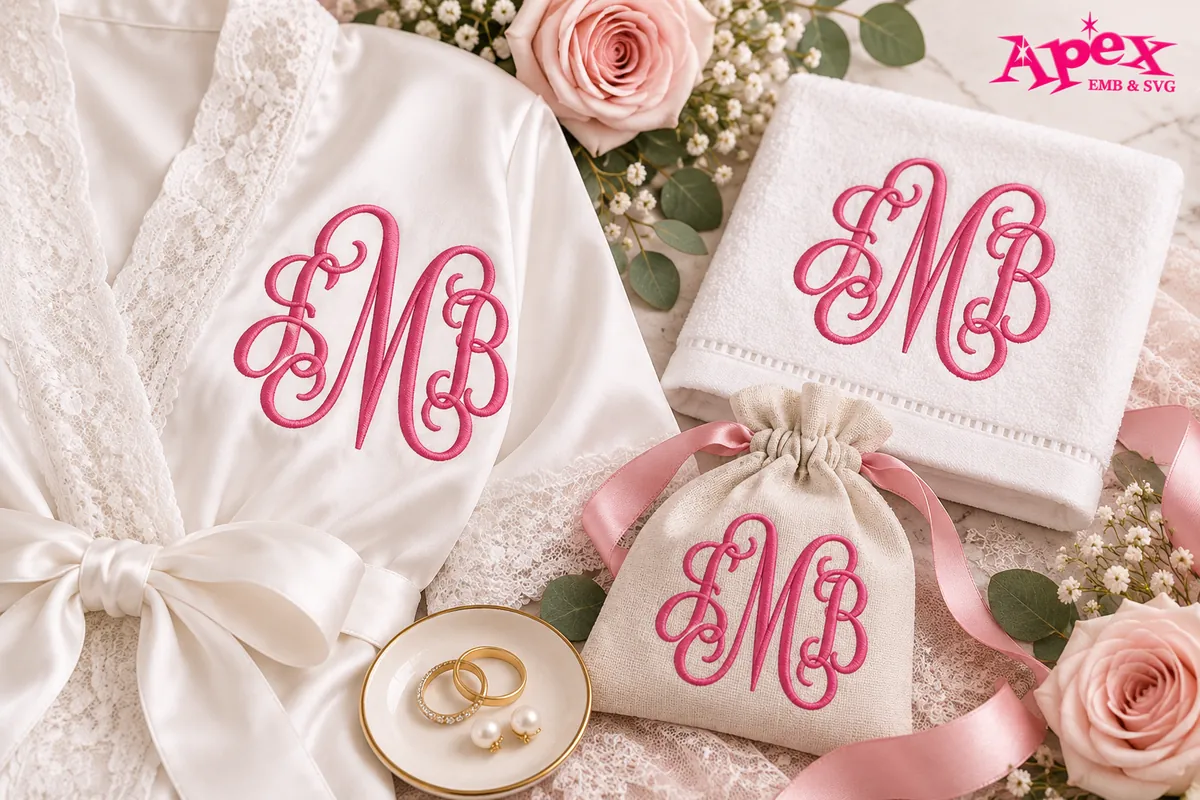
Elegant vine and script monograms are ideal for matching robes, towels, honeymoon accessories, and bridal-party gifts.
Personalized Towels and Linens
Traditional interlocking initials add a polished look to bath towels, hand towels, pillowcases, napkins, and other household linens.
Tote Bags and Accessories
A monogram can turn a plain bag into a personalized everyday accessory. Depending on the recipient, you can choose an elegant vine style or a stronger block design.
Shirts, Sweatshirts, and Jackets
Interlocking initials can work as a subtle chest monogram or a larger statement design. Block and varsity styles are especially effective on casual apparel.
Hats and Caps
Small interlocking initials can add a clean customized look to caps, but always make sure the design fits both the available hoop area and the structure of the hat.
Personalized Gifts
From wedding keepsakes to birthdays and housewarming gifts, a monogram allows you to personalize a project without requiring a long name or complicated design.
How to Create an Interlocking Embroidery Monogram
The exact workflow will depend on the font set and embroidery software you use, but the general process is straightforward.
- Choose your initials. Decide whether you need a two-letter or three-letter monogram.
- Select an interlocking embroidery font. Choose a style that matches the project.
- Download the correct machine format. Make sure the format is compatible with your embroidery machine or software.
- Unzip and open the files. Import the required letter or monogram file into your embroidery software.
- Arrange the design if necessary. Some sets contain individual letters, while others include pre-digitized combinations.
- Confirm the final size. Check that the design fits your hoop and project area.
- Hoop and stabilize your fabric. Choose stabilizer according to the material you are embroidering.
- Run a test stitch. Test the design on similar fabric before stitching the final item.
- Embroider your project. Once the test looks clean, stitch the finished monogram.
Apex Tip: A test stitch is particularly useful with interlocking designs because overlapping letter areas can contain more stitches than the surrounding sections.
Why Good Digitizing Matters for Interlocking Embroidery Fonts
Interlocking lettering can be more demanding than ordinary text because multiple letter shapes must work together as one embroidery design. Stitch direction, density, spacing, underlay, overlap, and the order in which areas stitch can all affect how clean the finished monogram looks.
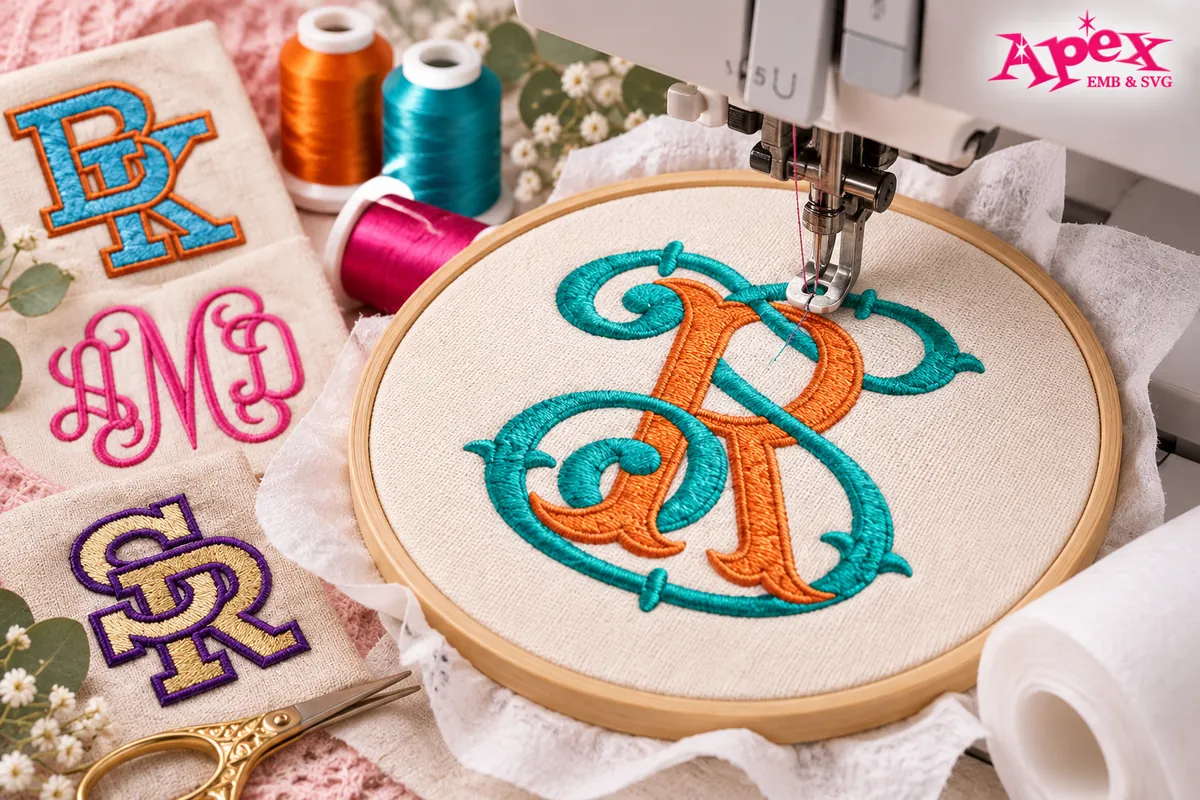
At Apex Embroidery Designs, embroidery and digitizing experience goes back more than 25 years, and Apex fonts and designs are digitized by hand, letter by letter. That experience is especially valuable for decorative lettering where small differences in stitch construction can influence readability and the way connected initials come together.
If you need lettering or artwork created specifically for your own project, Apex also offers custom embroidery digitizing.
Explore Interlocking Embroidery Fonts from Apex
Different projects call for different monogram styles. Here are a few options to explore:
- Vine Interlocking Monogram Embroidery Font – a classic choice for elegant, curly monograms.
- Raven Interlocking Monogram Embroidery Font – useful for vintage-inspired two-letter initials.
- Script Ladders Interlocking Monogram Embroidery Font – a graceful option for weddings and decorative gifts.
- Varsity Interlocking Font – a bold choice for school, sport, and athletic projects.
- Vine Fishtail Interlocking Monogram Embroidery Font – a decorative traditional style for personalized projects.
Ready to start your next monogram project? Browse all Interlocking Embroidery Fonts from Apex to find a style that fits your machine, project, and creative vision.
Frequently Asked Questions About Interlocking Embroidery Fonts
What is an interlocking embroidery font?
An interlocking embroidery font is a digitized machine embroidery alphabet designed so two or more initials connect or overlap to create one unified monogram. These fonts are commonly used for towels, wedding gifts, apparel, bags, linens, and personalized home décor.
What is the difference between a monogram font and an interlocking font?
A regular monogram font can display initials independently, while an interlocking font is specifically designed so the letter shapes visually connect, overlap, or fit together. This creates the appearance of a single decorative emblem rather than several separate letters.
How do you make an interlocking monogram in machine embroidery?
Choose your initials and font, download a compatible embroidery file, open it in your embroidery software, arrange the letters if required, confirm the size, stabilize the fabric, and run a test stitch before embroidering the final project.
Can I use interlocking embroidery fonts with a Brother embroidery machine?
Yes, as long as the font includes a file format compatible with your machine, such as PES, and the finished design fits within your machine's supported embroidery area and hoop size.
Do interlocking embroidery fonts work with BX Embrilliance?
Some interlocking embroidery fonts are available in BX format for Embrilliance users, but not every font includes BX files. Check the individual product description or browse Apex's BX Embrilliance designs and fonts before purchasing.
What size interlocking embroidery font should I use?
The best size depends on the item, hoop, fabric, and original digitized size of the font. For most projects, choose a font set that already includes a size close to your desired finished dimensions rather than dramatically enlarging or shrinking the embroidery file.
Where can I find more help with Apex embroidery files?
If you need help with downloads, formats, files, or machine embroidery basics, visit the Apex Embroidery Designs FAQ for additional information.
Find the Right Interlocking Font for Your Next Project
Interlocking monograms combine typography and embroidery into one personalized design. The key is choosing a font that matches both your creative style and the technical needs of your project.
Start with the number of initials, select a style that suits the finished item, use an appropriate digitized size, and confirm the correct embroidery format before stitching. A small test stitch can save time, thread, and fabric while helping you achieve a cleaner final result.
Explore the full Apex Interlocking Embroidery Font collection and find a monogram style for weddings, gifts, apparel, home décor, sports projects, and more.